
1. Expand “Banner” on the left side of the catalog and check the images and their order. 2. Click “Manage Images” to manage the banner images. You can set up to 6 images. 3. Click “Animation Settings” to the right of each image to adjust the transition direction, display duration, and image focal point. 4. To let buyers and visitors switch images themselves, enable “Manual Image Switching (Show Left/Right Buttons).” They can then use the left/right buttons or dots to switch images. When this option is disabled, the images rotate automatically. 5. Check the effect in the preview on the right. You can also click “Full Screen” to enlarge the preview. 6. When finished, click “Upload Changes” so buyers and visitors can see the updated content.
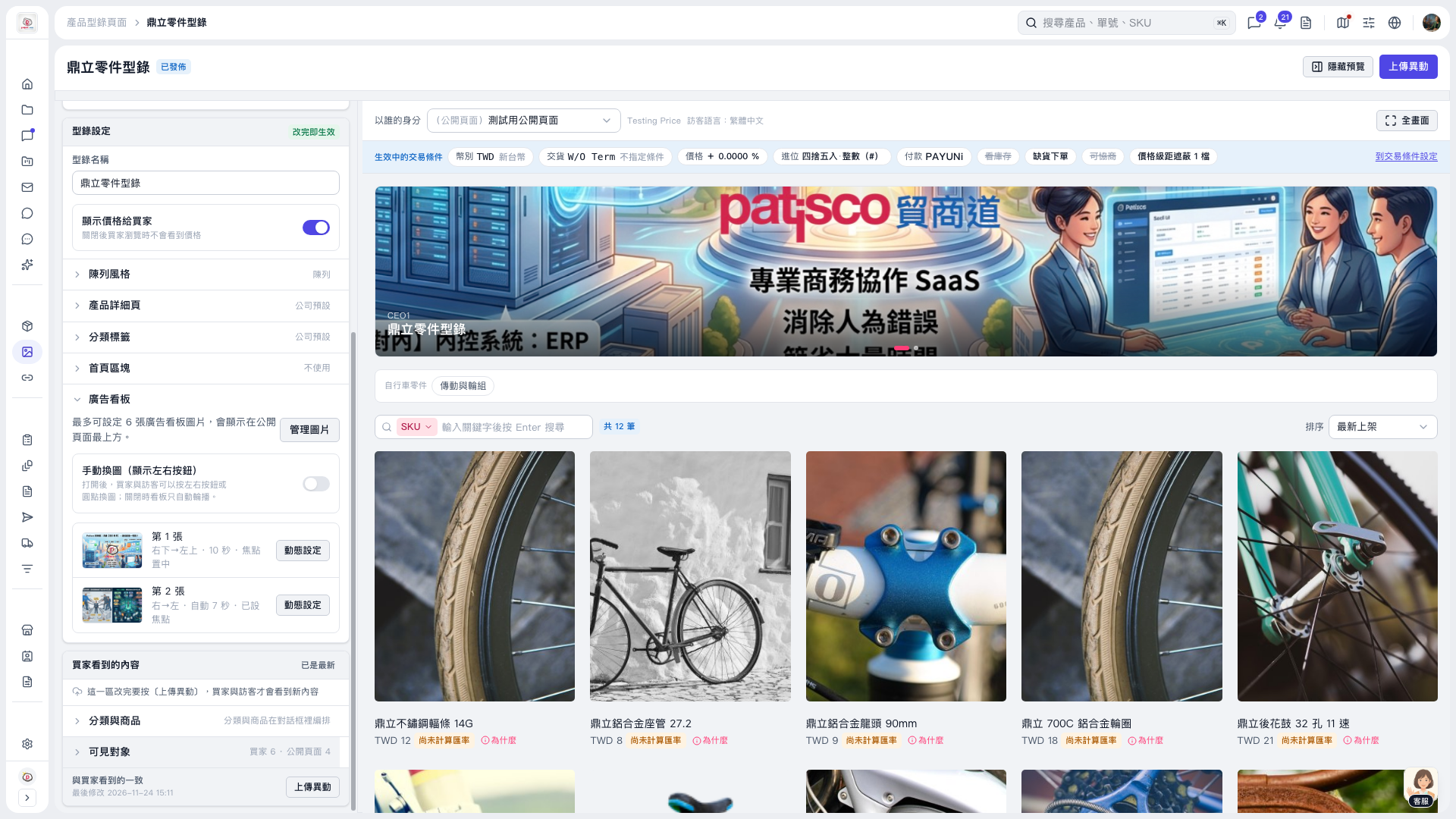 V5 新桌面版|鼎立零件型錄