
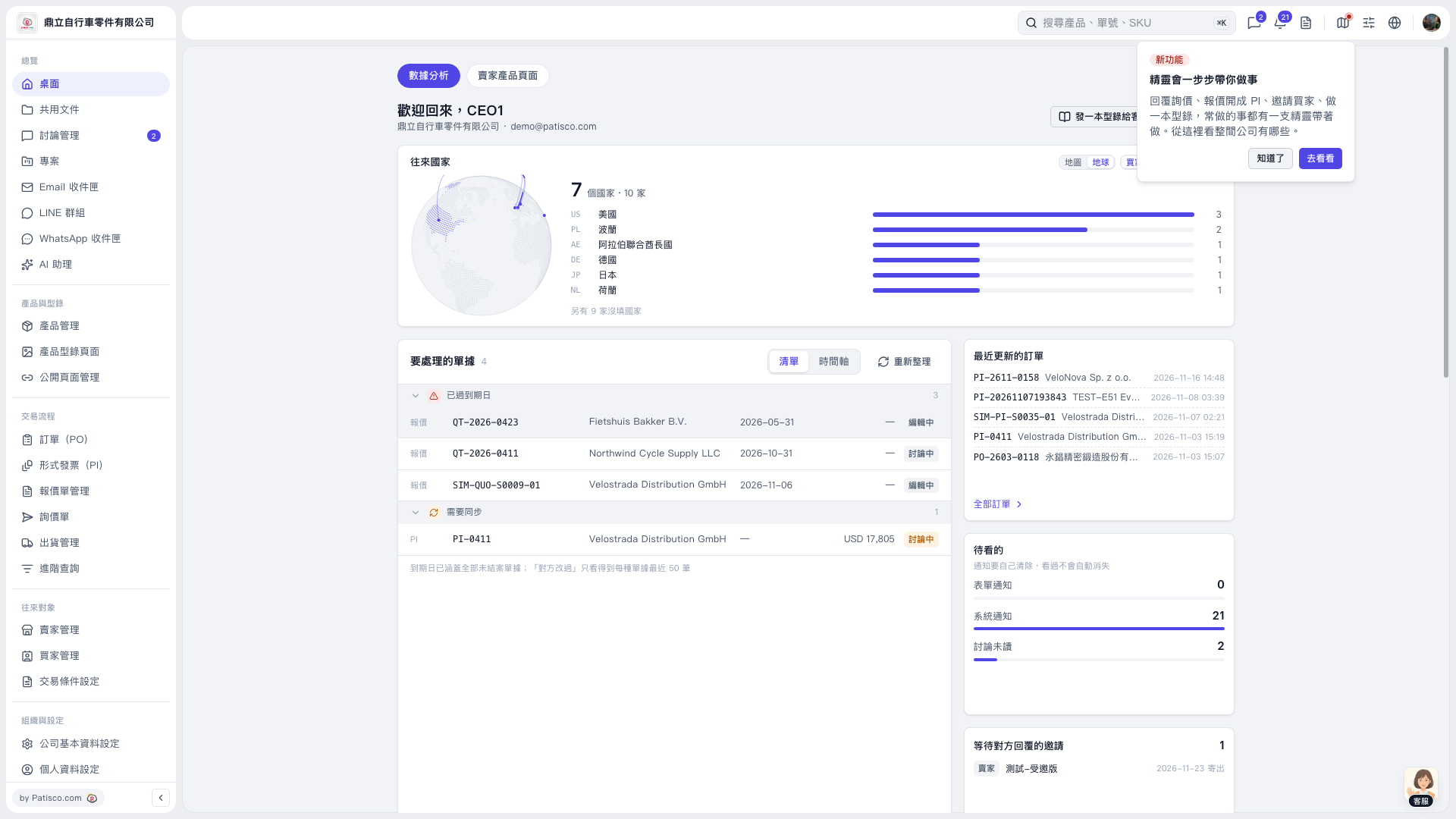
1. In the “Documents Requiring Action” section under “Data Analysis,” check the documents under “Past Due” and “Sync Required.” 2. Identify the items to process by checking “Document Number,” “Trading Partner,” “Due Date,” and “Document Status.” 3. Click a document number to open the corresponding document for review and processing. 4. After returning to the desktop, click “Refresh” to see the latest documents requiring action.
 V5 新桌面版|桌面-數據分析