
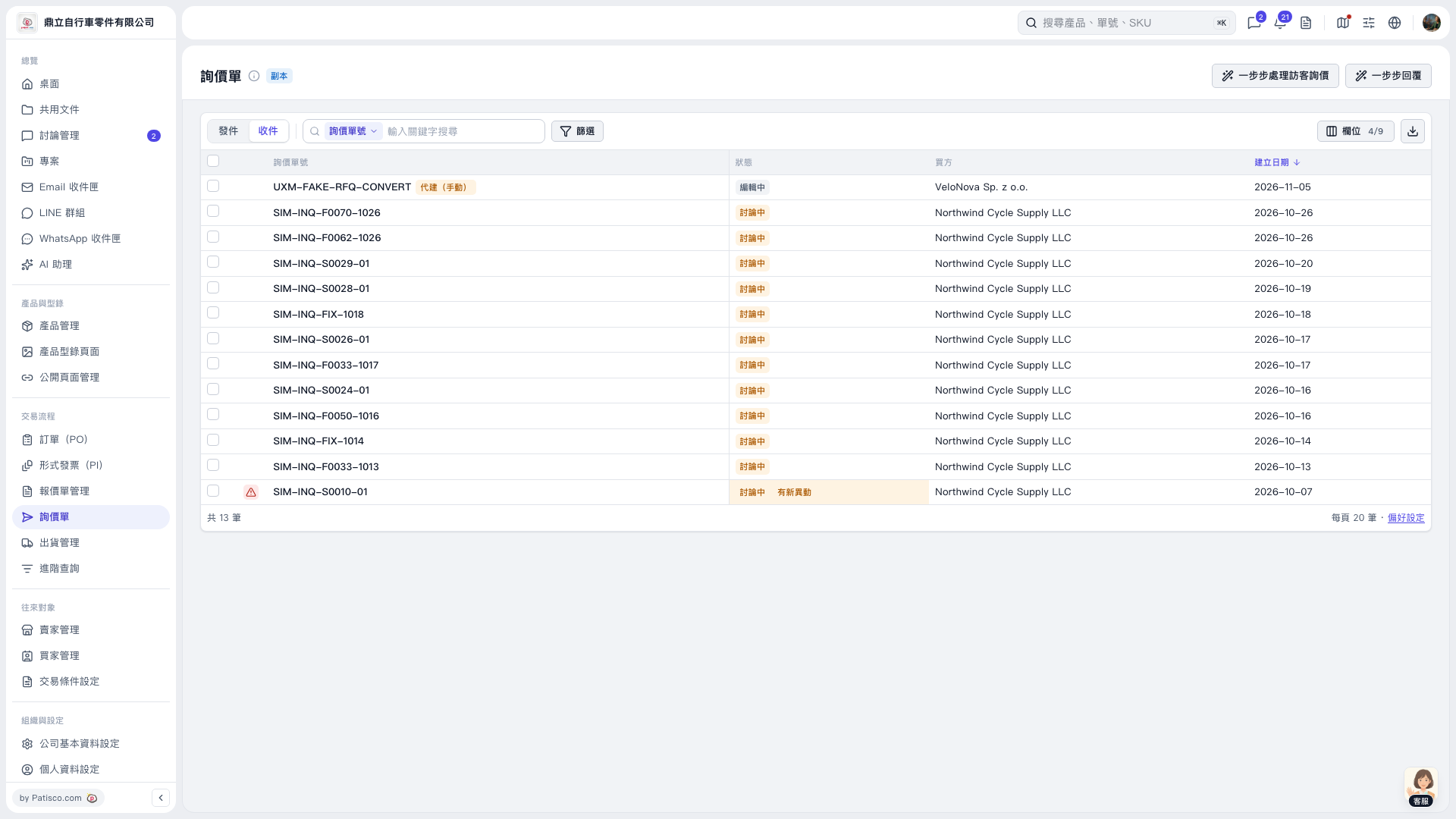
1. Select "Received" in the upper-left corner of the "Inquiry" page. 2. Check the "Created Date" column on the right. "Created Date ↓" indicates that inquiries are sorted from newest to oldest. Click the column heading to change the sort order. 3. To find a specific inquiry, set the search criterion to "Inquiry Number" and enter a keyword in "Enter a keyword to search", or click "Filter" to set conditions. 4. Click an inquiry number to view its details. For guidance on replying, click "Reply Step by Step" in the upper-right corner.
 V5 新桌面版|詢價單