
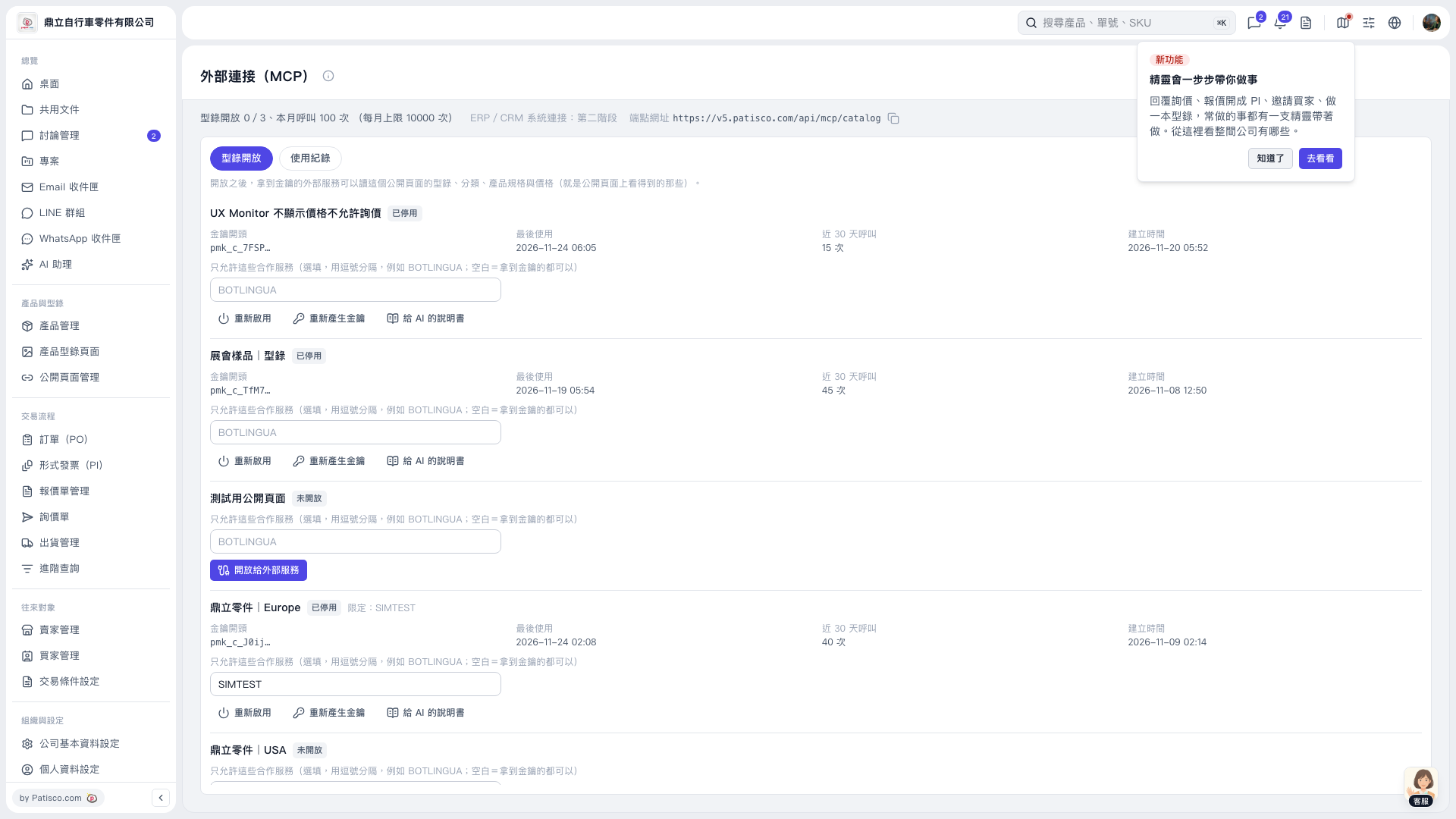
1. On the "Catalog Access" tab of the "External Connections (MCP)" page, find the catalog you want to view. Disabled catalogs have "Instructions for AI" in their action bar. Click it to view the connection instructions. 2. To copy the endpoint URL, click the copy icon to the right of "Endpoint URL" at the top of the page. 3. Switch to the "Usage Logs" tab to view external service usage logs.
 V5 新桌面版|外部連接(MCP)