
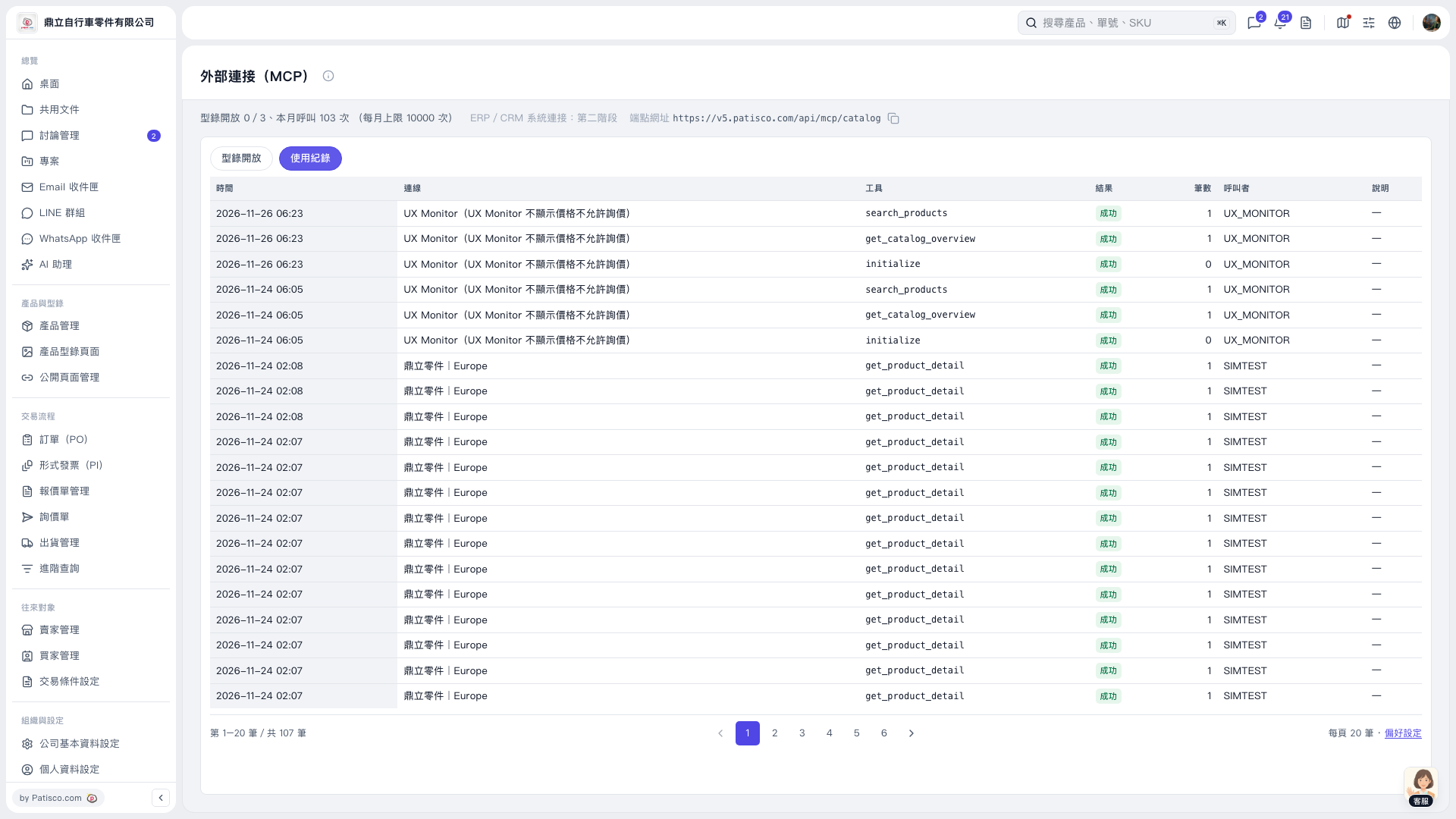
1. On the "External Connections (MCP)" page, click the "Usage Logs" tab. 2. Review the "Time", "Connection", "Tool", "Result", "Record Count", "Caller", and "Description" for each call. 3. Use the page numbers or left and right arrows below the table to browse logs on other pages. 4. To adjust your list display preferences, click "Preferences" at the bottom right.
 V5 新桌面版|外部連接(MCP)