
1. Open the page for the buyer you want to send the catalog to, and confirm that it is the correct buyer. 2. Find the "Visible Catalogs" section and click "Send a Catalog to the Customer" in its upper-right corner to start the catalog sending process. 3. If the buyer's status is "Not Invited", click "Generate Invitation Link" or "Send Invitation" in the upper-right corner of the page. The buyer must accept the invitation before they can view the catalogs assigned to them.
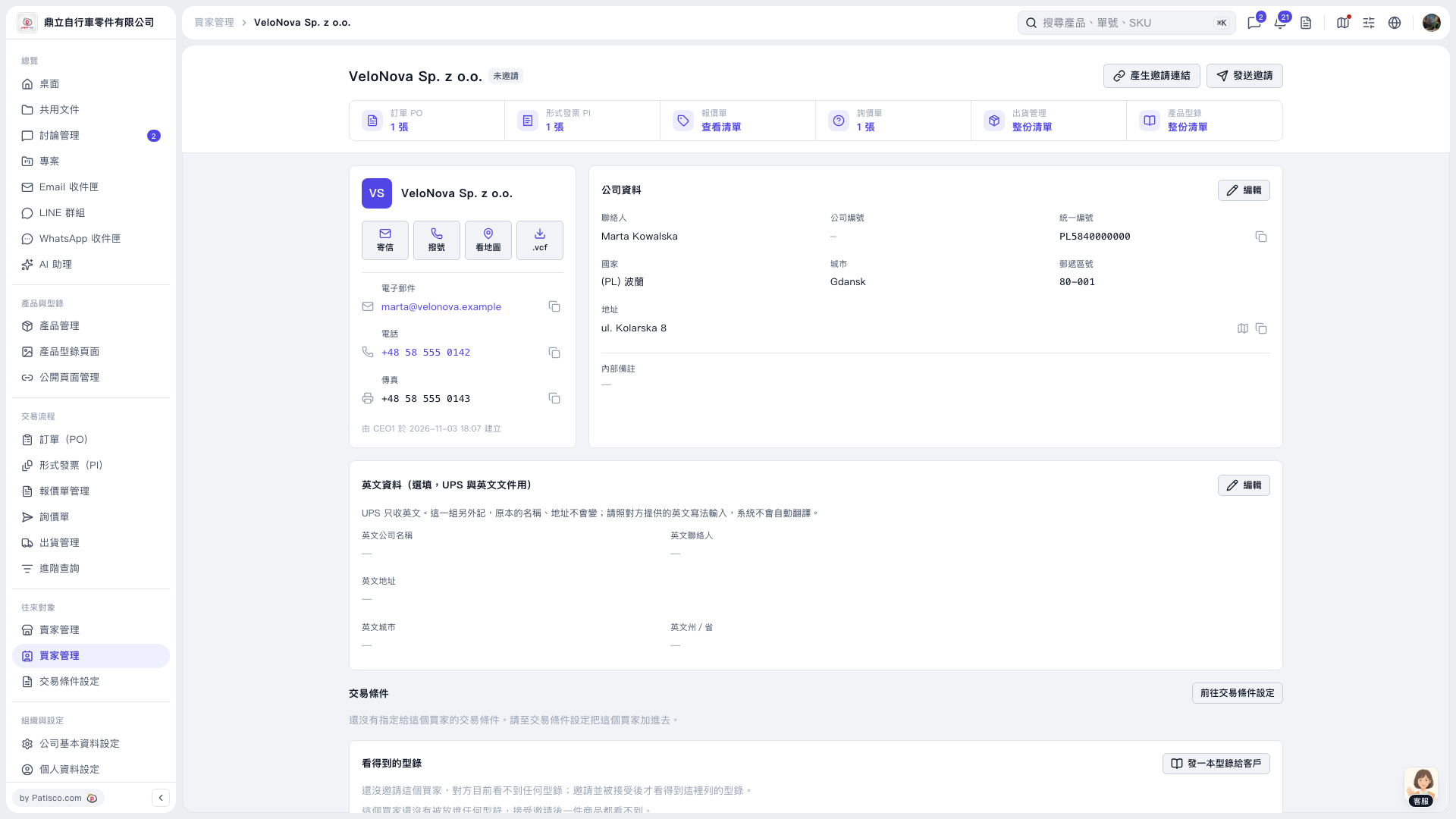 V5 新桌面版|VeloNova Sp. z o.o.