
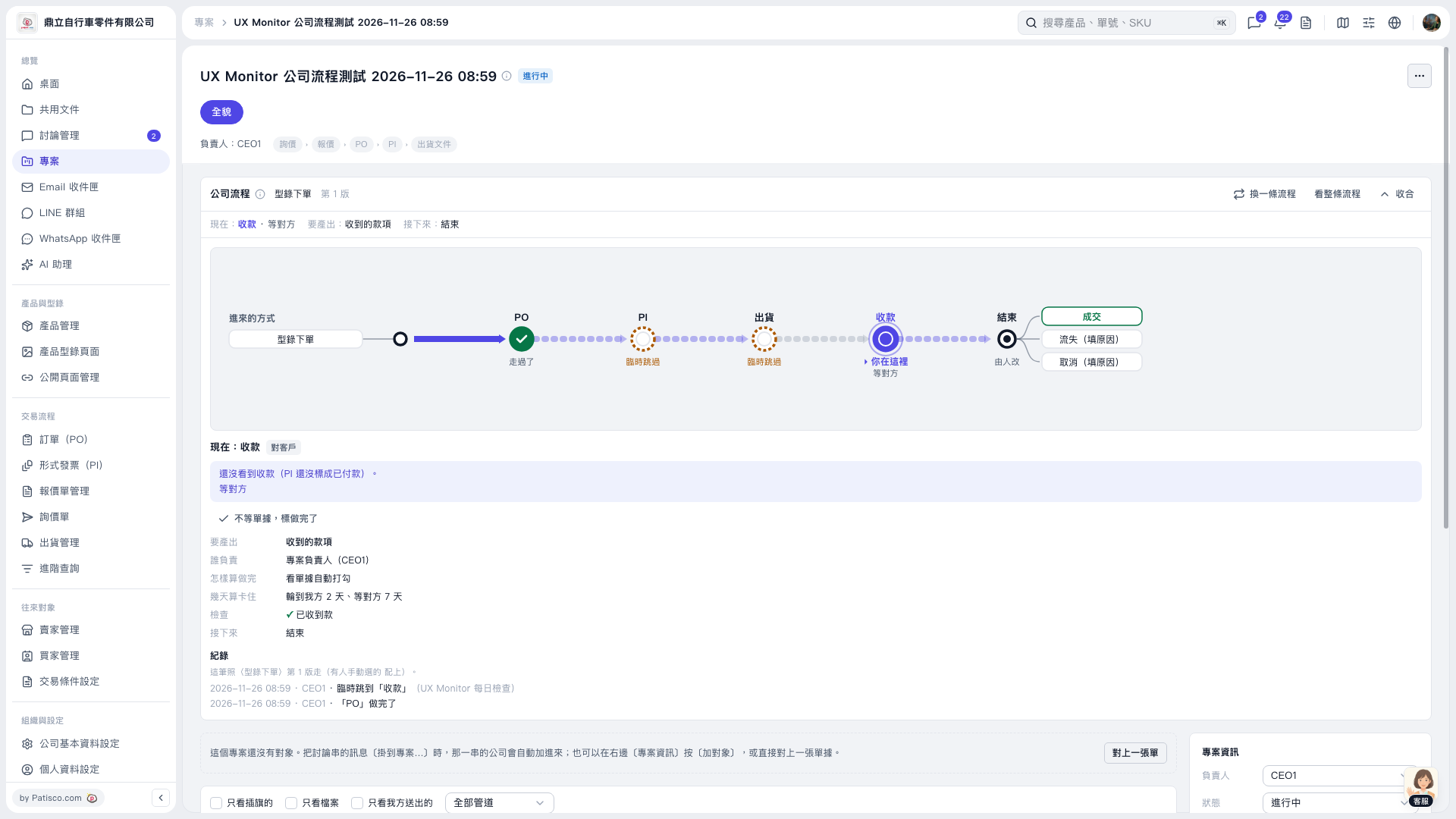
1. In the project's Company Workflow section, confirm that “Now” shows “Payment Collection,” and check the PI payment status against the payments actually received. 2. If the project has no linked document yet, click “Link a Document” to establish the link. Once the document meets the completion conditions, the workflow will automatically show a check mark. 3. To complete the current step manually, click “Mark Complete Without Waiting for a Document.” This action only records project workflow progress and does not modify documents. Only the project owner and top-level administrators can perform this action.
 V5 新桌面版|UX Monitor 公司流程測試 2026–11–26 08:59