
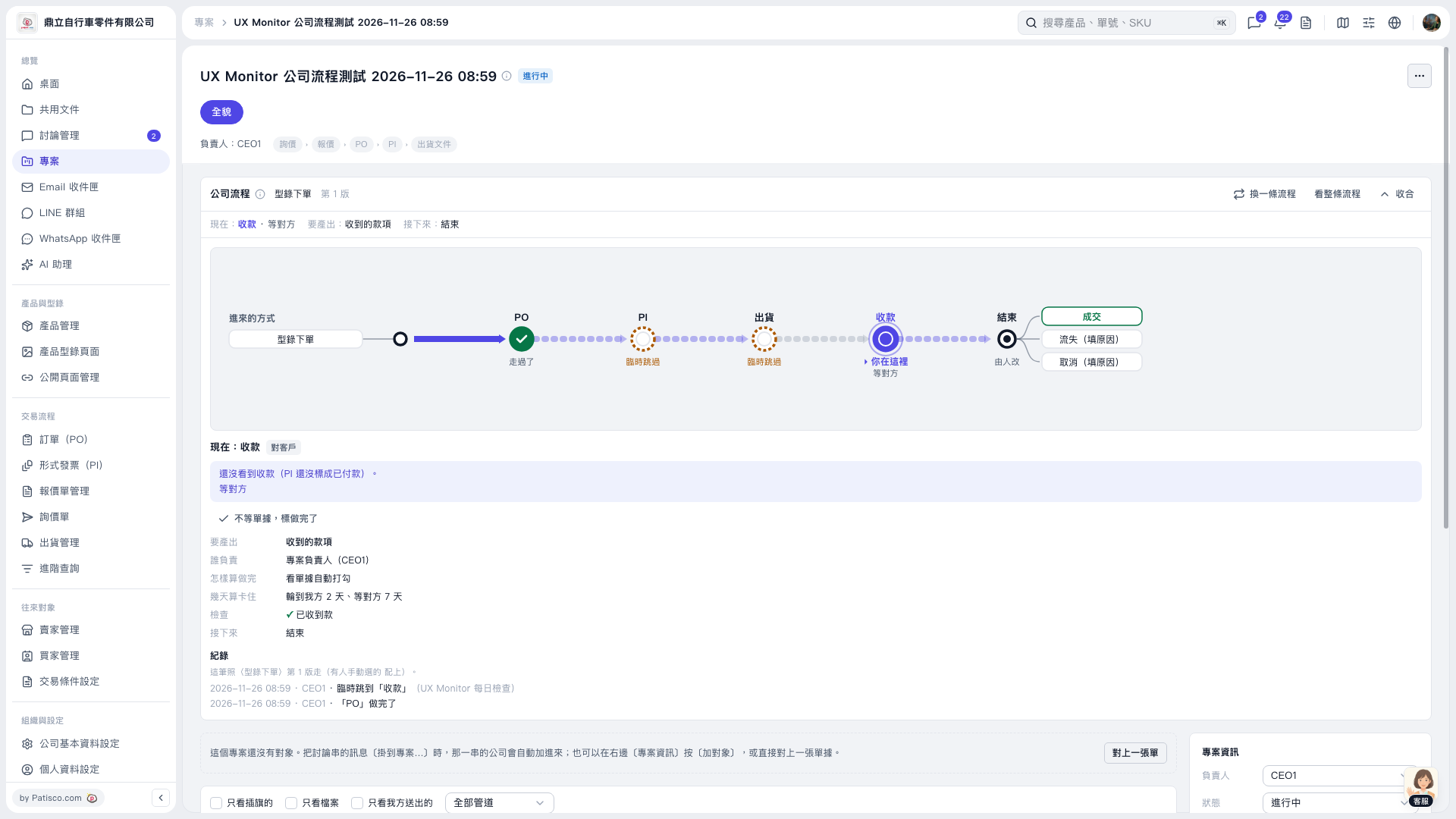
1. Click the step you want to jump to in the company workflow diagram, then click “Jump to This Stage.” 2. Enter the reason for the jump and click “Jump.” 3. Check the result under “History”: new entries appear at the top, the jump includes the reason, and earlier steps that were not completed are marked “Temporarily Skipped.” Jumping only records project workflow progress and does not modify documents. Only the project owner and top-level administrators can perform this action.
 V5 新桌面版|UX Monitor 公司流程測試 2026–11–26 08:59