
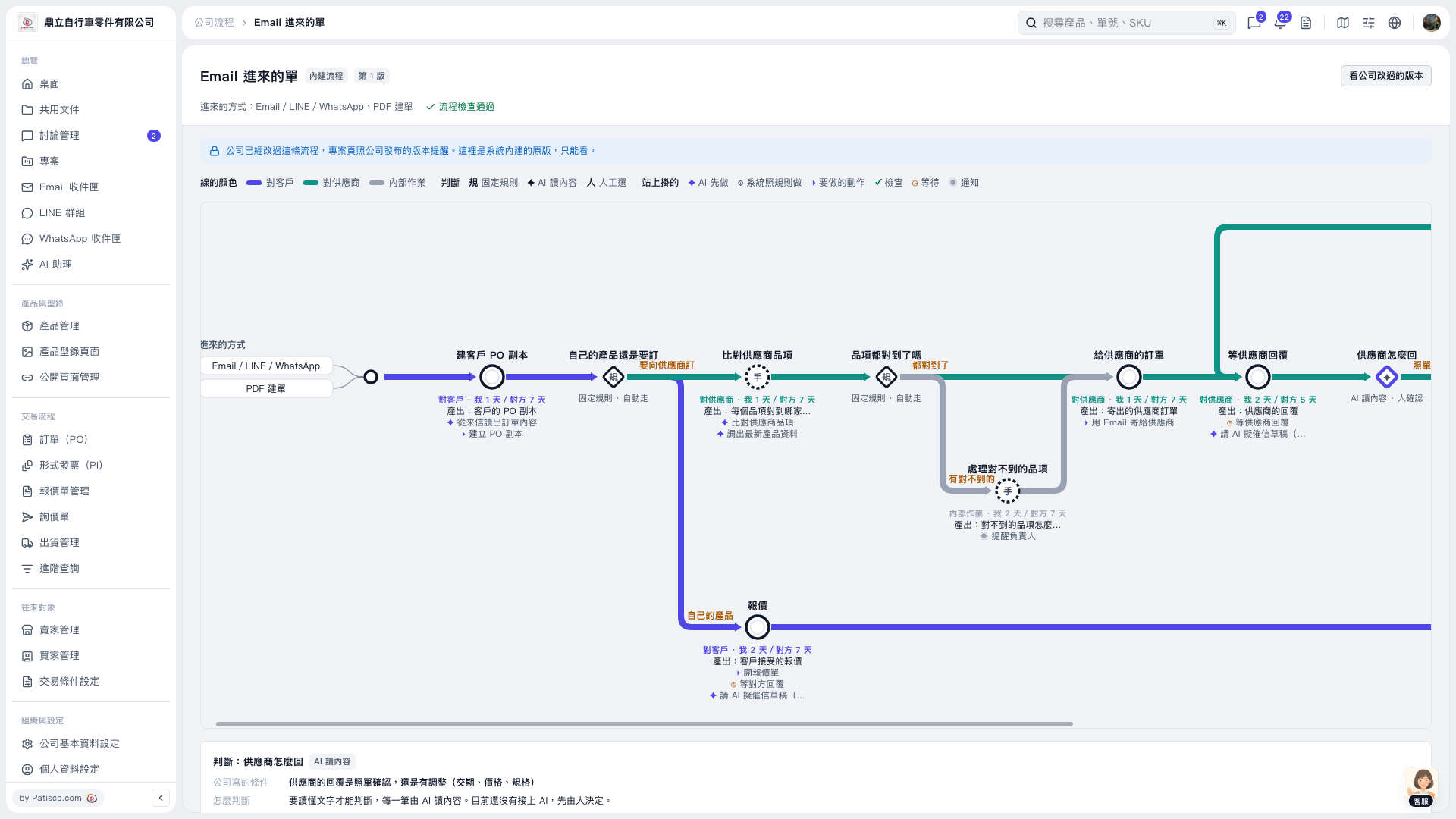
1. Open [POs Received by Email] and confirm that the header shows [Built-in Workflow]. 2. Start with the entry method on the left side of the flowchart and follow the arrows to review the steps and branches. Refer to the legend to distinguish [Customer-facing], [Supplier-facing], and [Internal Operations]. 3. Click a workflow node to view [Company-defined Conditions] and [How the Decision Is Made] below. For example, clicking [How the Supplier Responds] shows [AI Reads the Content] as the decision method, but the description says, “AI is not connected yet. A person makes the decision for now.” 4. Drag the horizontal scroll bar at the bottom of the flowchart left or right to view the rest of the workflow. 5. To view the workflow your company has modified and published, click [View Company-modified Version] in the upper right.
 V5 新桌面版|Email 進來的單