
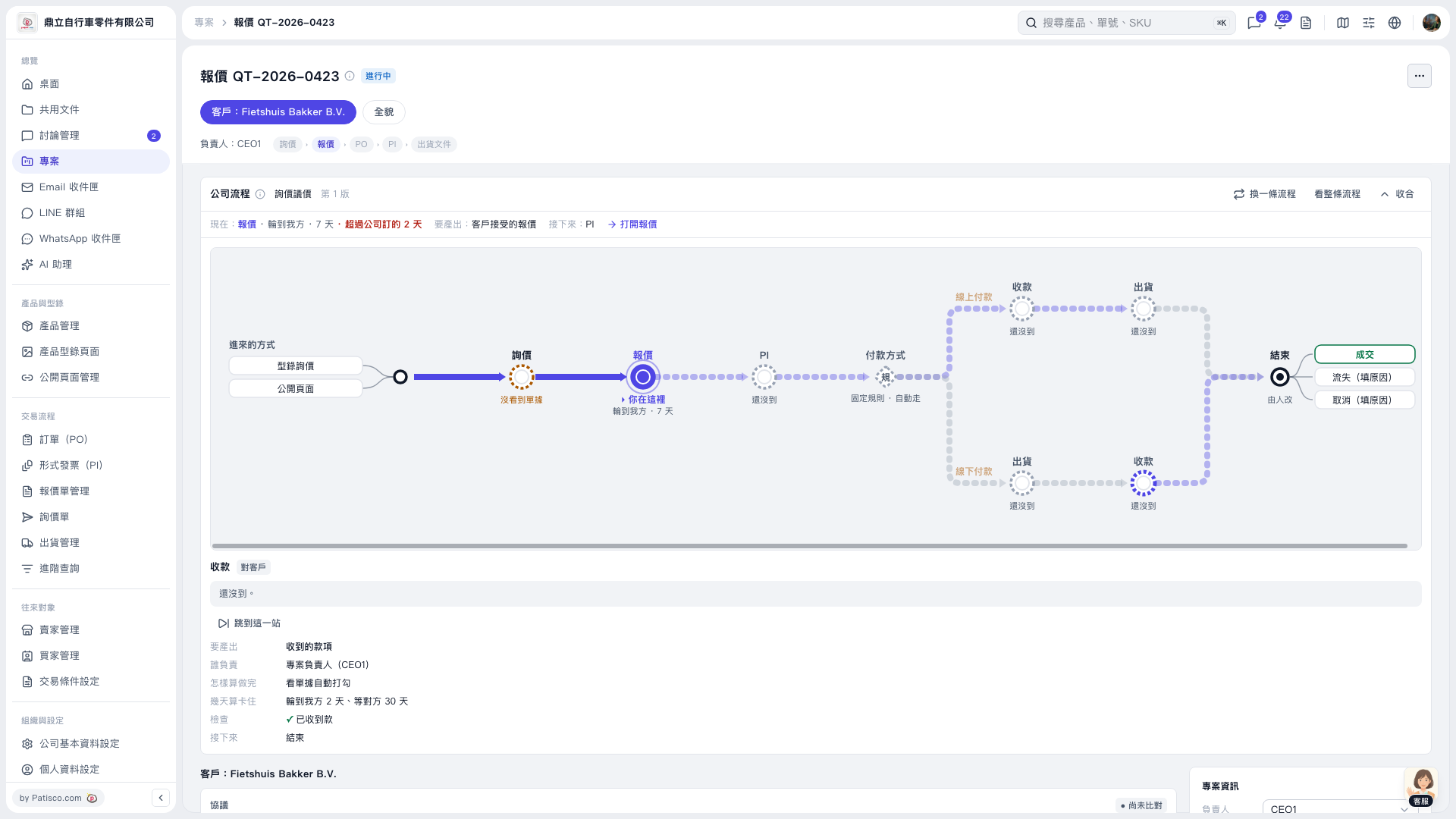
1. On the project page, check the [Company Workflow] status bar for the current stage, whose turn it is, the number of days at that stage, and the contents of [Required Output] and [Next]. 2. If the current stage is [Quotation], click [Open Quotation] to open the quotation details for this project. 3. Click a stage in the flowchart to view its output requirements, [Who Is Responsible], [Completion Criteria], [Days Until Considered Stalled], and [Checks]. 4. To view the full workflow, click [View Entire Workflow] in the upper right.
 V5 新桌面版|報價 QT-2026-0423