
1. In the Company Workflow diagram on the project page, click the stage you want to go to. 2. Review the stage details below. After confirming the target stage, click “Jump to This Stage” to update the workflow progress. 3. When the project ends, select “Won,” “Lost (Enter Reason),” or “Canceled (Enter Reason)” on the right side of the workflow diagram. A reason is required when you select Lost or Canceled.
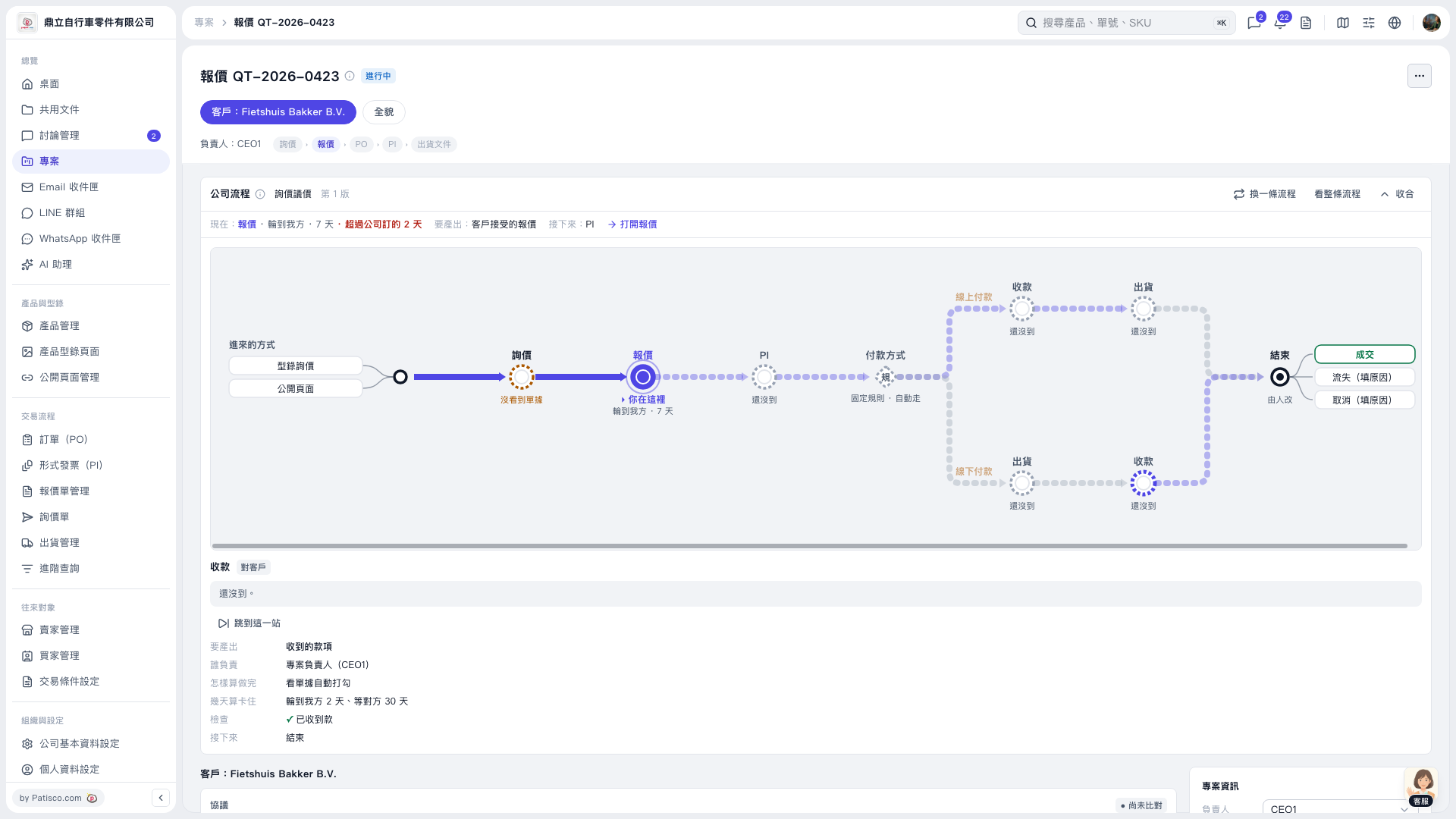 V5 新桌面版|報價 QT-2026-0423