
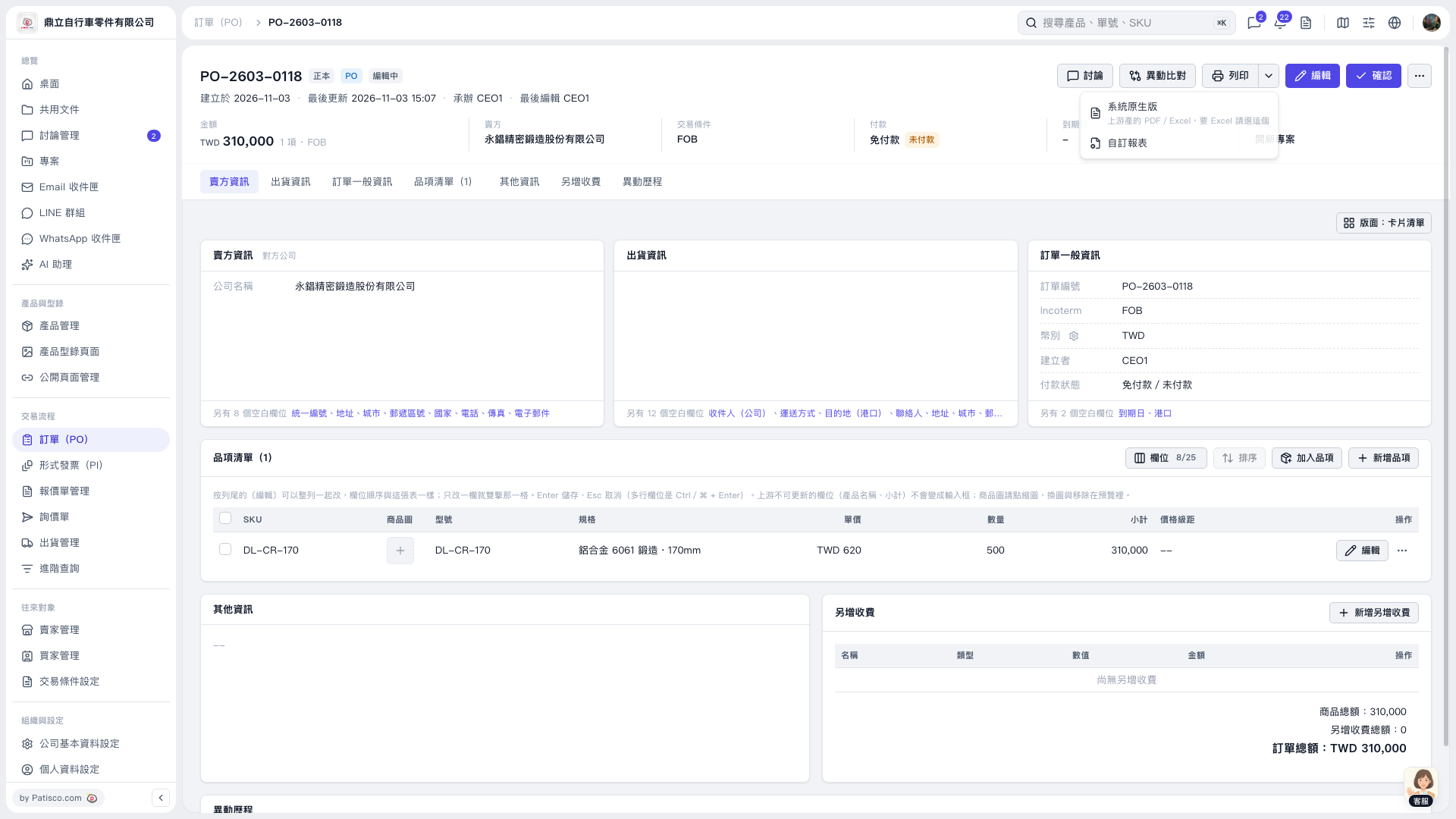
1. Open the PO you want to print and check the PO number, items, quantities, and total amount. 2. Click the drop-down arrow next to [Print] in the upper right to open the report menu. 3. Select [System Default] to use the system's built-in report format, which the menu indicates supports PDF and Excel; or select [Custom Report] to use a custom format. 4. Follow the print or export screen that appears to complete the process.
 V5 新桌面版|PO-2603-0118