
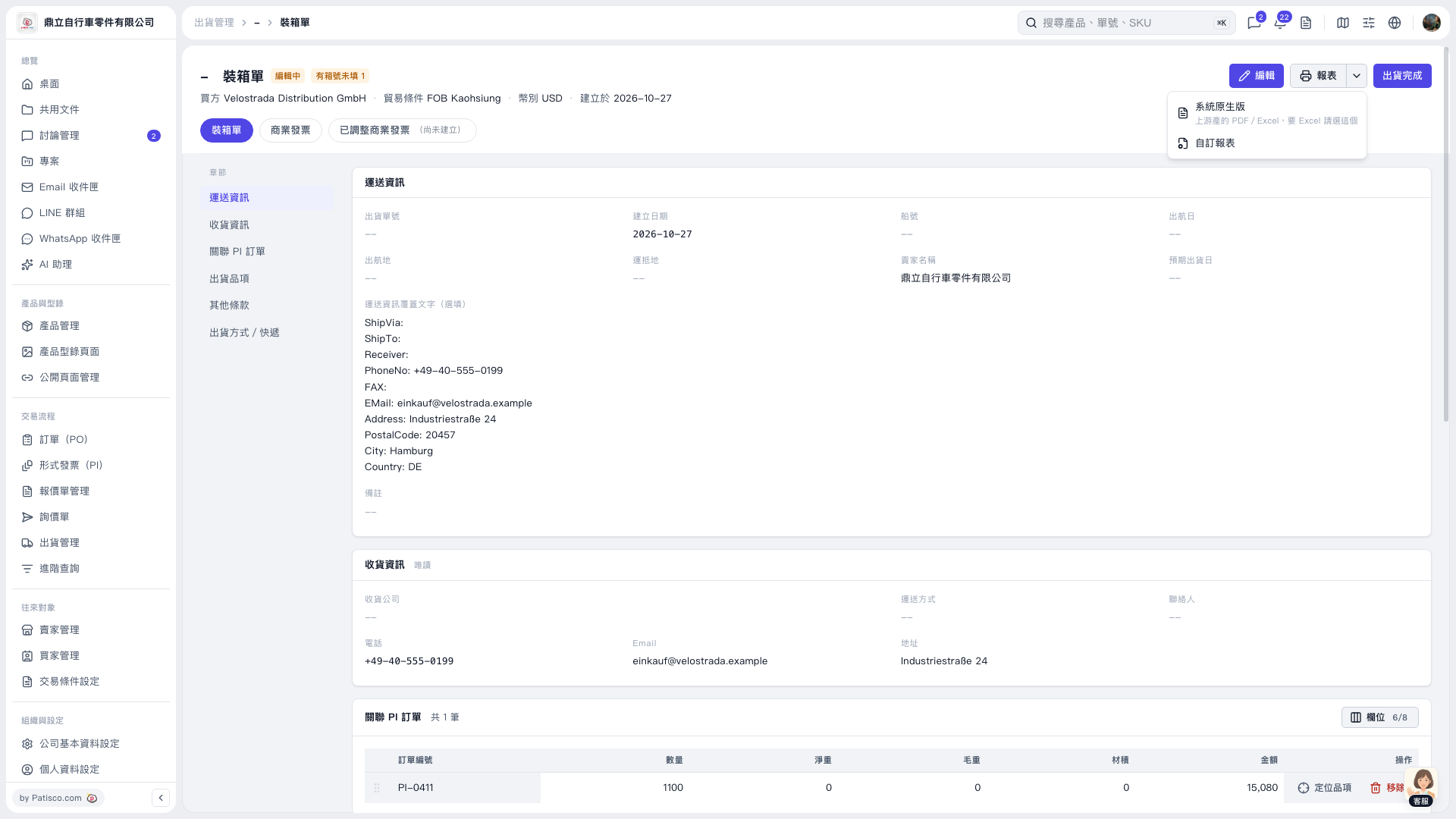
1. On the [Packing List] tab, check the buyer, shipping information, delivery information, and linked PI PO. 2. To change the information, click [Edit] in the upper right. If you see a message indicating that carton numbers are missing, enter the missing carton numbers. 3. Click [Reports] in the upper right and select [System Default] to obtain a PDF or Excel report. Select this option when you need Excel. To use a custom format, select [Custom Report]. 4. Use the options provided on the subsequent screens to export or print the report.
 V5 新桌面版|裝箱單