
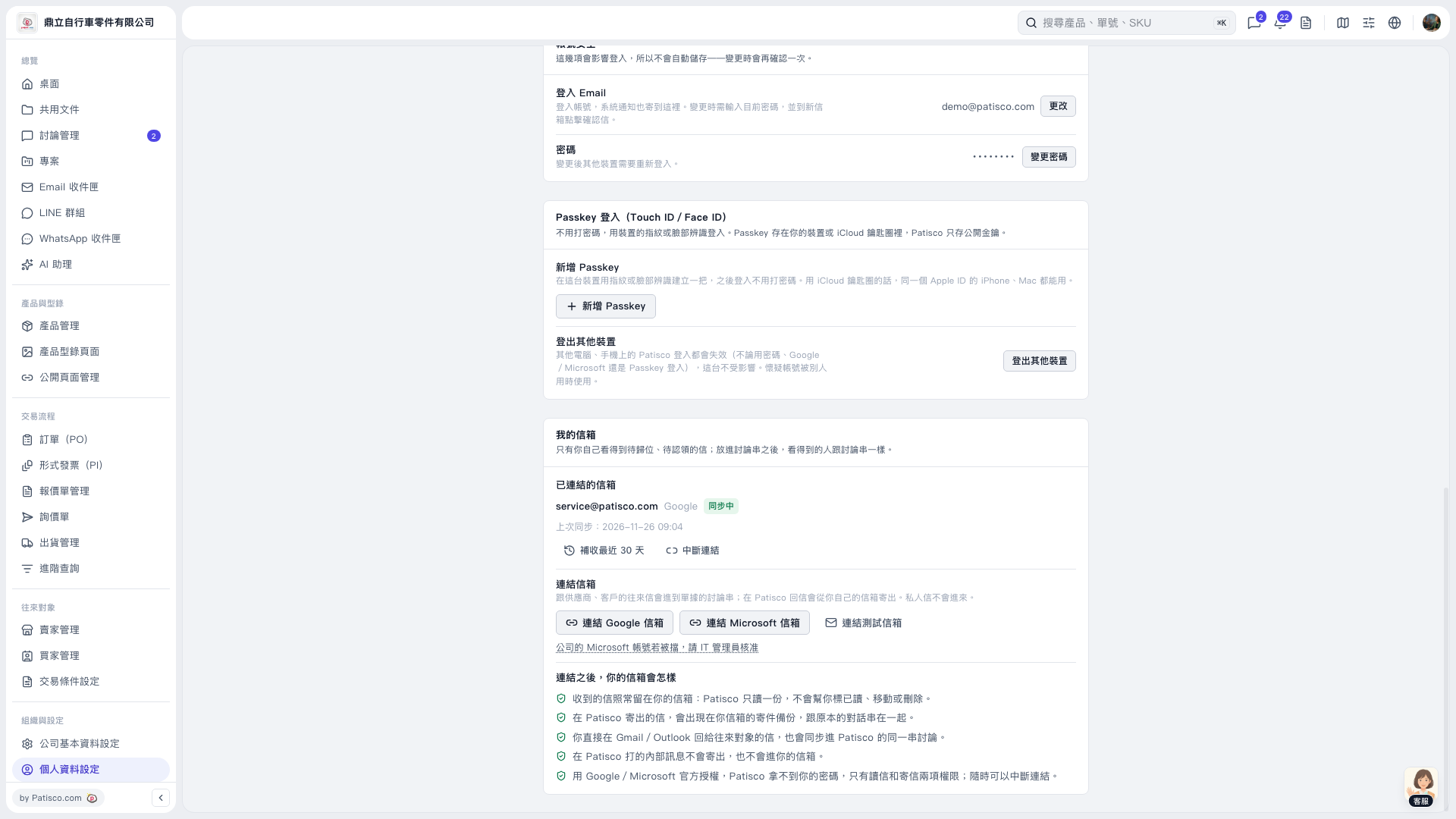
1. Go to the "Profile Settings" page and find the "My Mailbox" section. 2. Depending on your email provider, click [Link Google mailbox] or [Link Microsoft mailbox] on the mailbox linking row. 3. Complete the sign-in and authorization following the flow your provider shows next. 4. Once linked, under "Linked mailboxes" you can see the mailbox, the email provider, the sync status and the last sync time. 5. If you also want to bring in past emails, click [Fetch last 30 days]. If you want to deactivate it, click [Disconnect], and Patisco will no longer be linked to this mailbox.
 V5 新桌面版|個人資料設定