
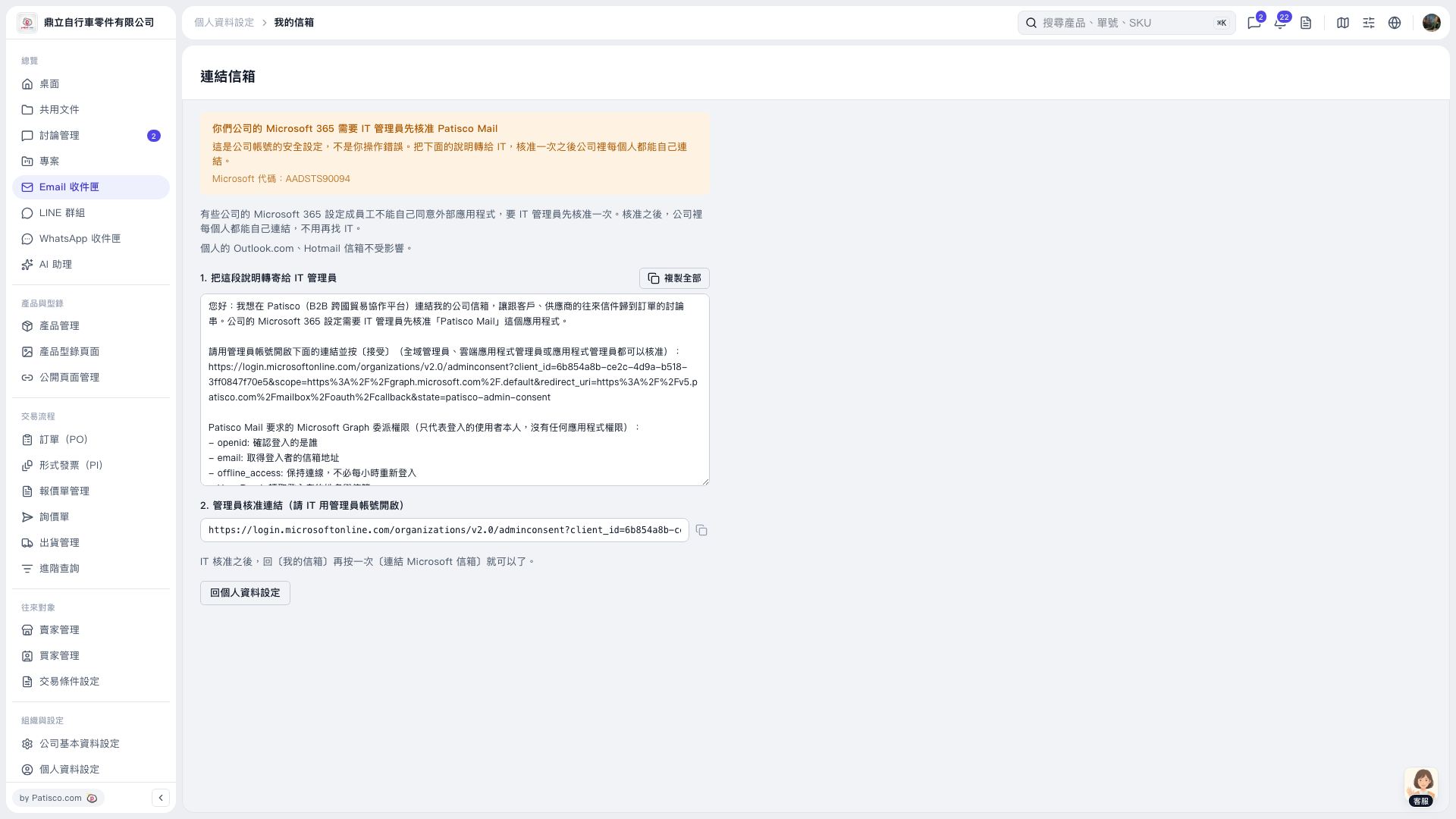
If the "Link mailbox" page appears and says administrator approval is required, your company's Microsoft 365 settings require your IT administrator to approve Patisco Mail first. Follow these steps: 1. Click [Copy all] at the top right of the central instruction box to copy the "Approval instructions for IT administrator", and send it to your company's IT administrator. 2. Ask the IT administrator to open the approval link in the instructions with an administrator account and click "Accept" to approve Patisco Mail. A Global Administrator, Cloud Application Administrator, or Application Administrator can approve it. 3. After IT has approved it, click [Back to profile settings] at the bottom left to return to "My mailbox". 4. Click "Link Microsoft mailbox" again to link the mailbox again.
 V5 新桌面版|連結信箱