
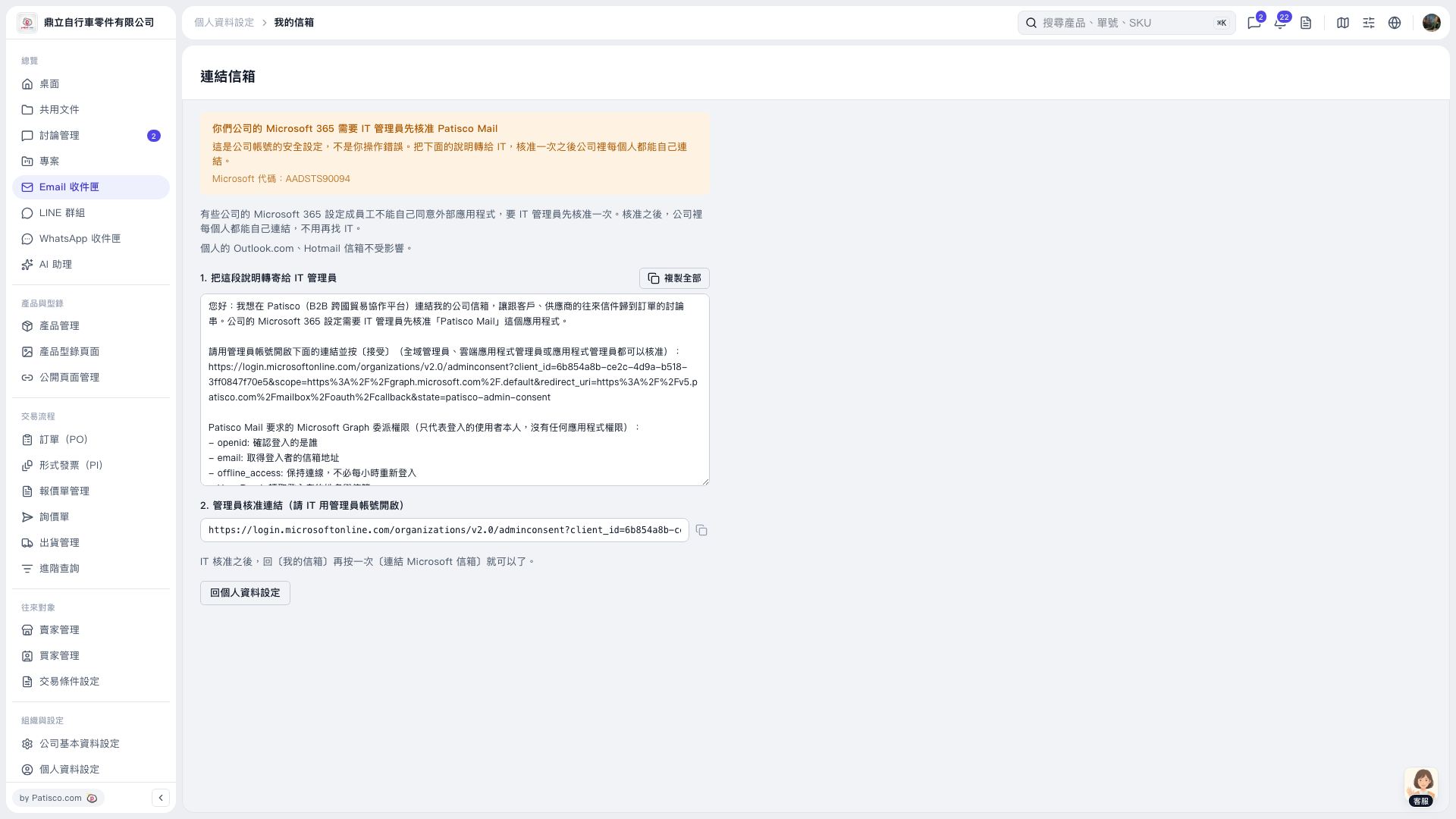
1. On the "Link mailbox" page, find the "Administrator approval link (ask IT to open it with an administrator account)" field. 2. Click the [copy icon] on the right side of the field to copy the Microsoft 365 administrator approval link. 3. Send the link to your IT administrator and ask them to open it with an administrator account and click "Accept". If you want to give IT the instruction text as well, clicking [Copy all] at the top right of the instruction box is more complete.
 V5 新桌面版|連結信箱