
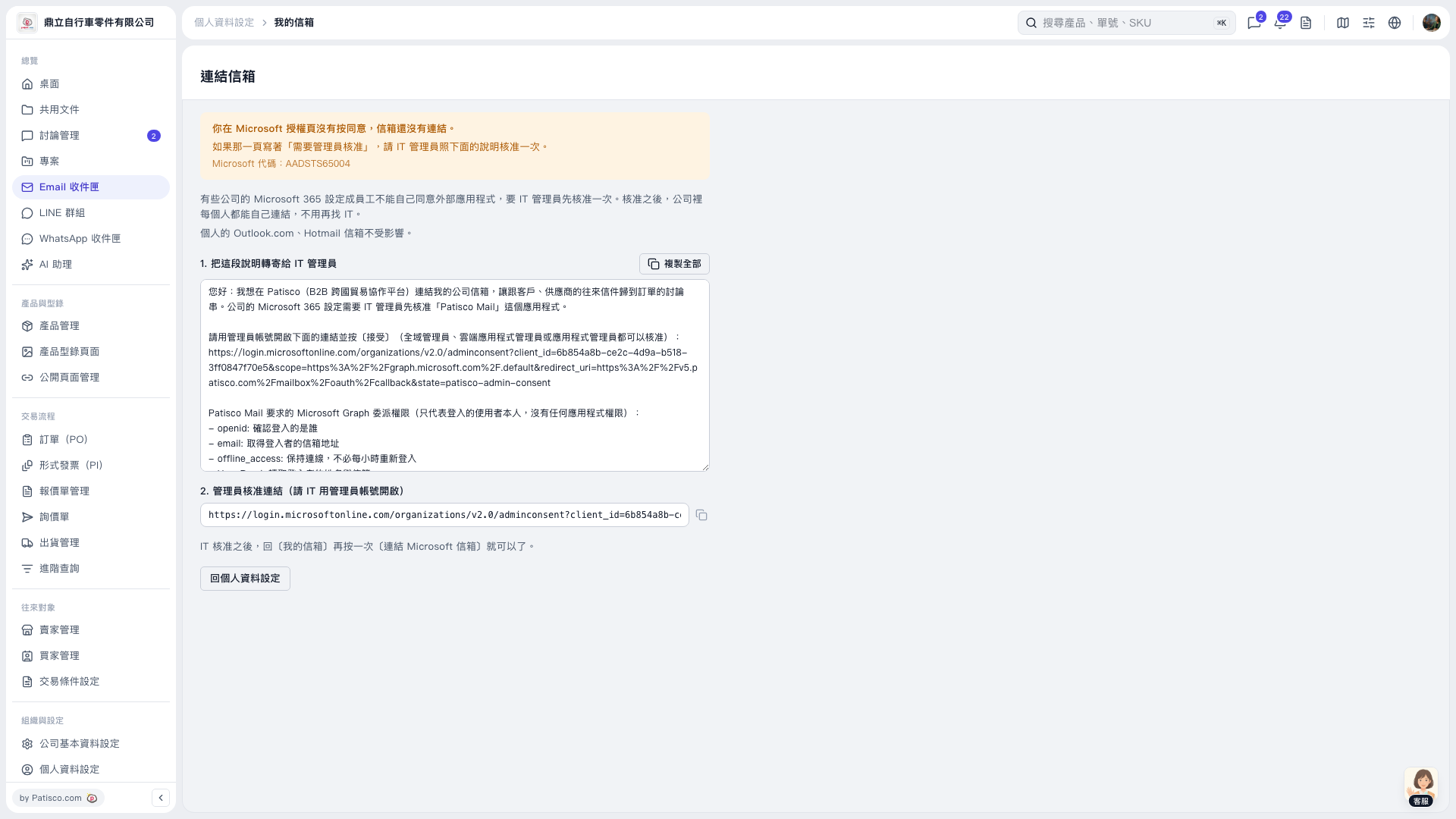
1. On the "Link mailbox" page, find the "Forward this instruction to your IT administrator" section, which contains a box with the authorization instructions. 2. Click [Copy all] at the top right of the section, then paste it into an email or messaging app and send it to your IT administrator. 3. If IT only needs the URL, click the copy icon on the right side of the "Administrator approval link" field. 4. The IT administrator opens the link with an administrator account, confirms the permissions, and clicks "Accept". 5. After approval is complete, click [Back to profile settings], go to "My mailbox", and click "Link Microsoft mailbox" again to link it again.
 V5 新桌面版|連結信箱