
1. Open the PO page and first confirm that the PO number, seller, amount and items are correct. 2. Click [Discussion] at the top right, and the discussion sidebar for this PO opens on the right. 3. At the top of the sidebar, select [Email to...] (next to it, [Patisco Discussion] is the in-platform PO discussion). 4. Click [Write new email] below the description text to open the email composer. 5. After sending, the email is sent from your own linked mailbox to the recipient, and an email discussion thread is created for this PO; the recipient's later replies come back to the same thread. To close the sidebar, click [×] at the top right of the sidebar.
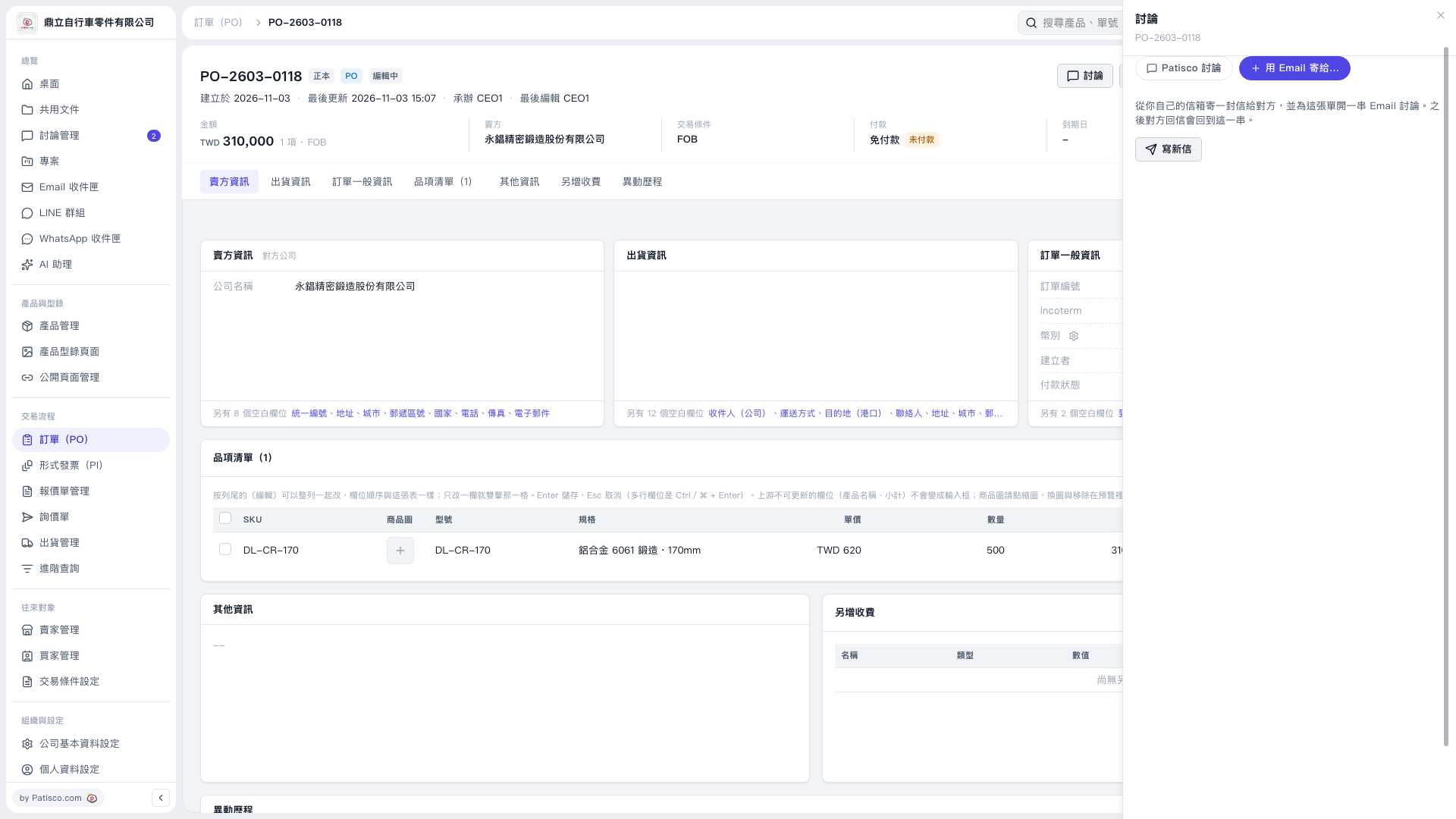 V5 新桌面版|訂單 PO-2603-0118