
1. On the PO page, click [Discussion], select [Email to...], then click [Write new email]. 2. In the composer panel, [Attach this PO's PDF] is checked by default and the PDF language defaults to "English"; uncheck it if you don't want to attach it, and change the PDF language if you need another language. 3. If the PO has no seller email, the recipient of [Write new email] will be blank, so enter the recipient yourself. 4. The [Attach payment link] option does not appear in this panel. If you close the panel without clicking [Send], the email will not be sent.
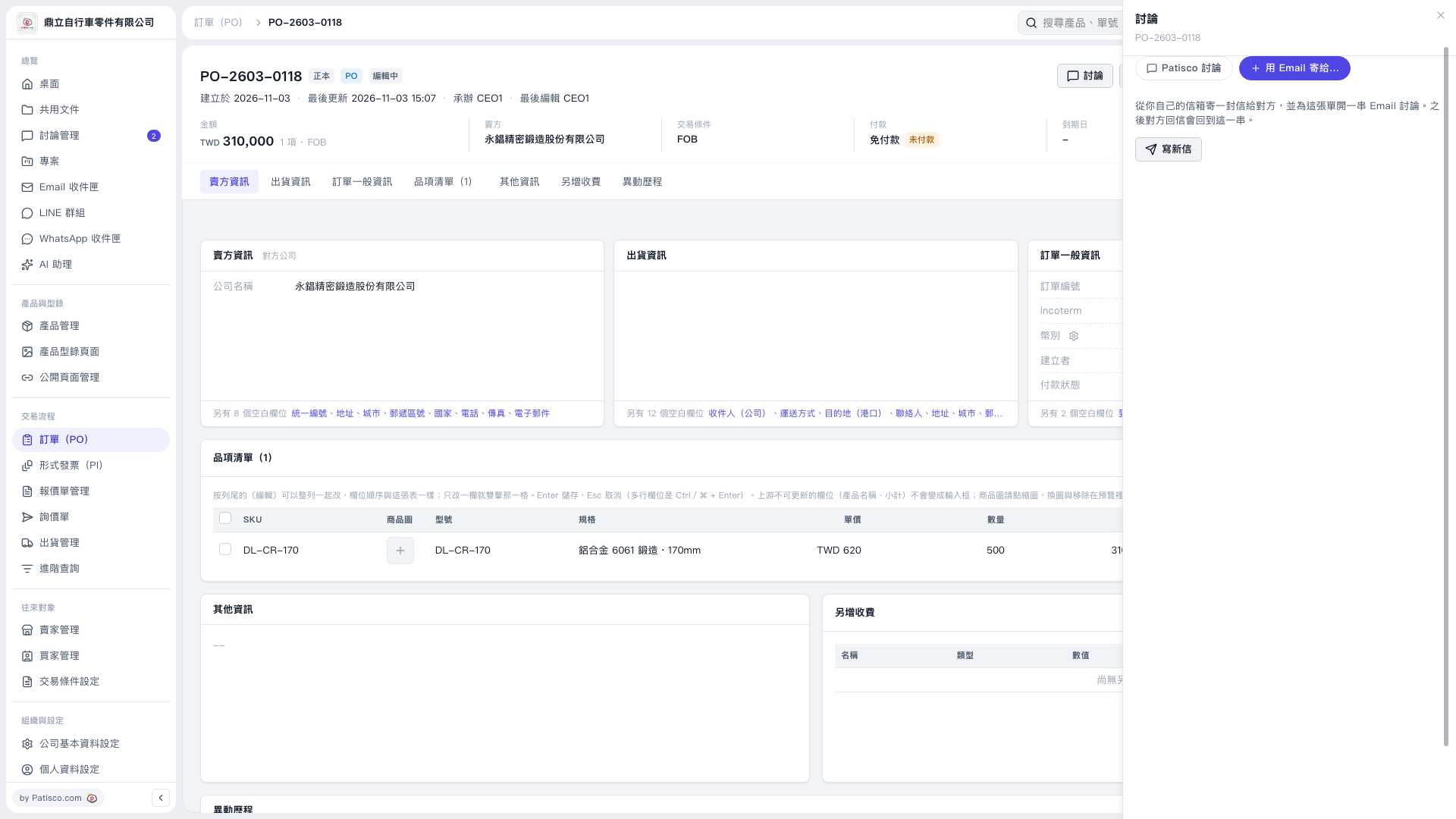 V5 新桌面版|訂單 PO-2603-0118