
1. [Create inquiry] creates an inquiry for the seller. If this seller’s trading condition is not “Negotiable,” the button is grayed out and disabled, and you cannot send an inquiry. 2. In this case, you can click [Checkout (online payment)] to check out and pay online. 3. To continue selecting products, click [Keep shopping] to close the cart and return to the catalog. 4. To save the products in your cart, click [Add to My Products]. They will be added to “My Products.” 5. To remove a product, click the red trash can icon at the far right of its row. 6. The icons in the upper-right corner of the dialog let you enlarge or close it.
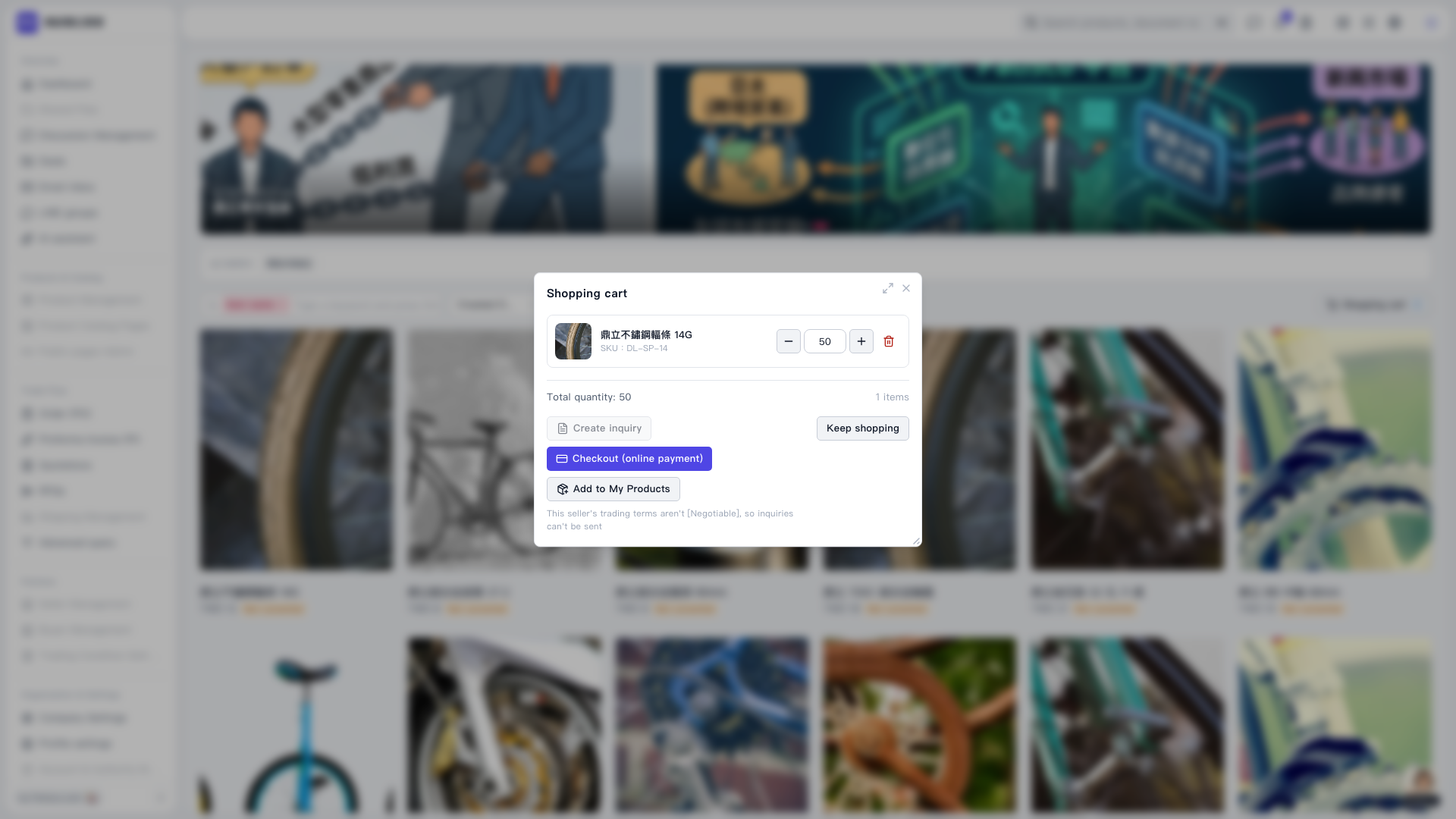 V5 新桌面版|Shopping cart(購物車對話框,背景為賣家型錄商品列表頁)