
1. Open the PI’s details page (the Proforma Invoice details page). 2. Look for the “Copy” label next to the page title. If it is present, this is the PI copy created during checkout. 3. Check the status in the header. Before payment, it will show only [Awaiting payment]. It will not show [In discussion], [Your turn to reply], or [Unsent changes], and there will be no [Send] button. 4. This document is awaiting the buyer’s payment and is not under negotiation. It returns to negotiation only after either party edits and saves it or sends it. 5. Scroll down and check the summary at the top (amount, seller, terms, payment, and validity), as well as the contents of the Seller information, Shipping Info, and Order general information tabs.
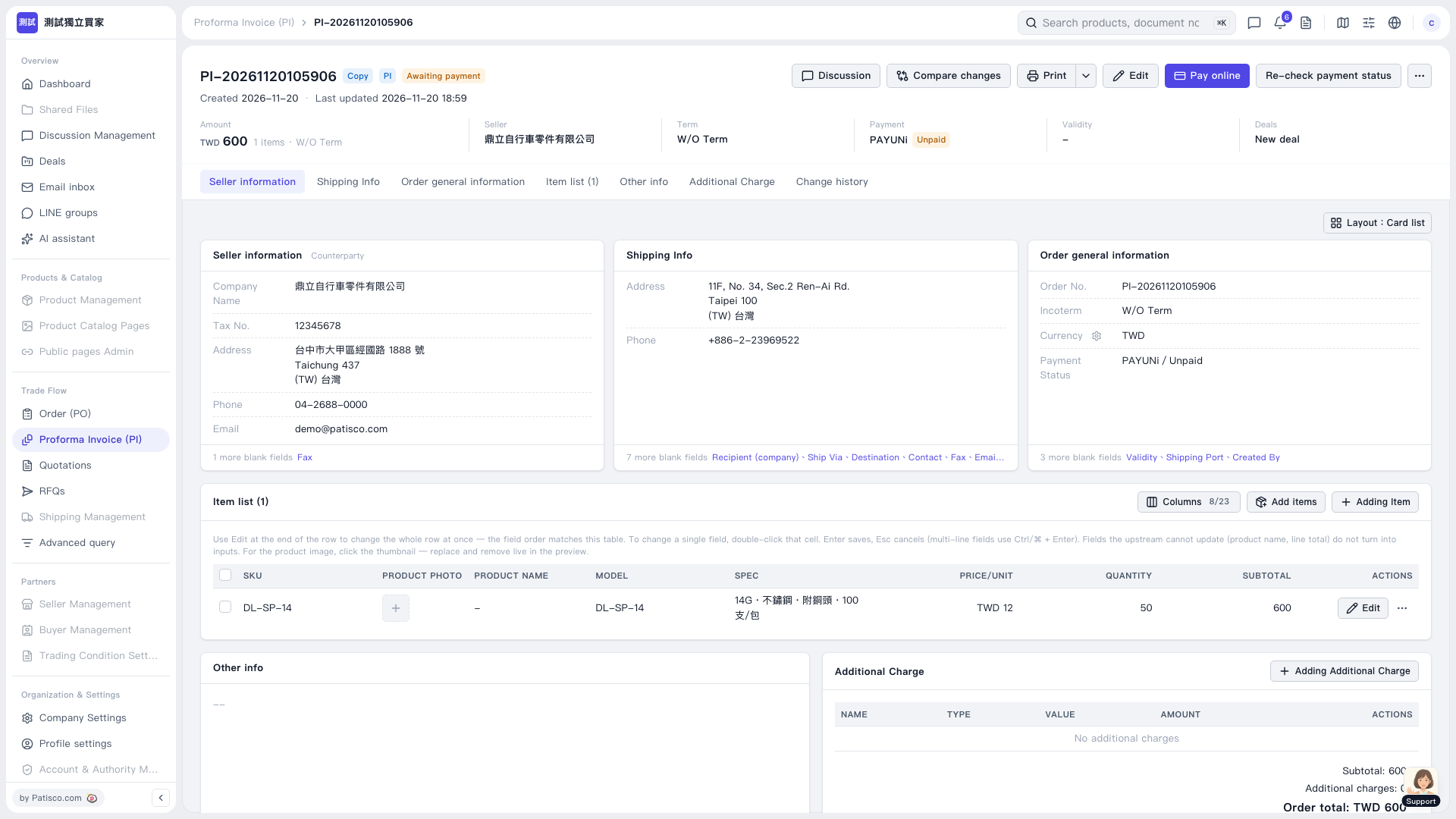 V5 新桌面版|PI-20261120105906(Proforma Invoice 詳情頁)