
1. In the left sidebar, go to “Trade Flow” and open “Proforma Invoice (PI).” 2. Use the tabs at the upper left of the list to select “Sent (PI)” or “Received (PI).” To view PIs sent to you as a buyer, select “Received (PI).” 3. The list displays columns such as ORDER NO., STATUS, BUYER, SELLER, INCOTERM, CURRENCY, AMOUNT, ITEMS, and CREATED AT. 4. Click an Order No. link in the list to open that PI’s details. Note: The PI’s current status is shown in the STATUS column. For example, it may be “Awaiting payment” rather than “In discussion.” Check this column before taking action.
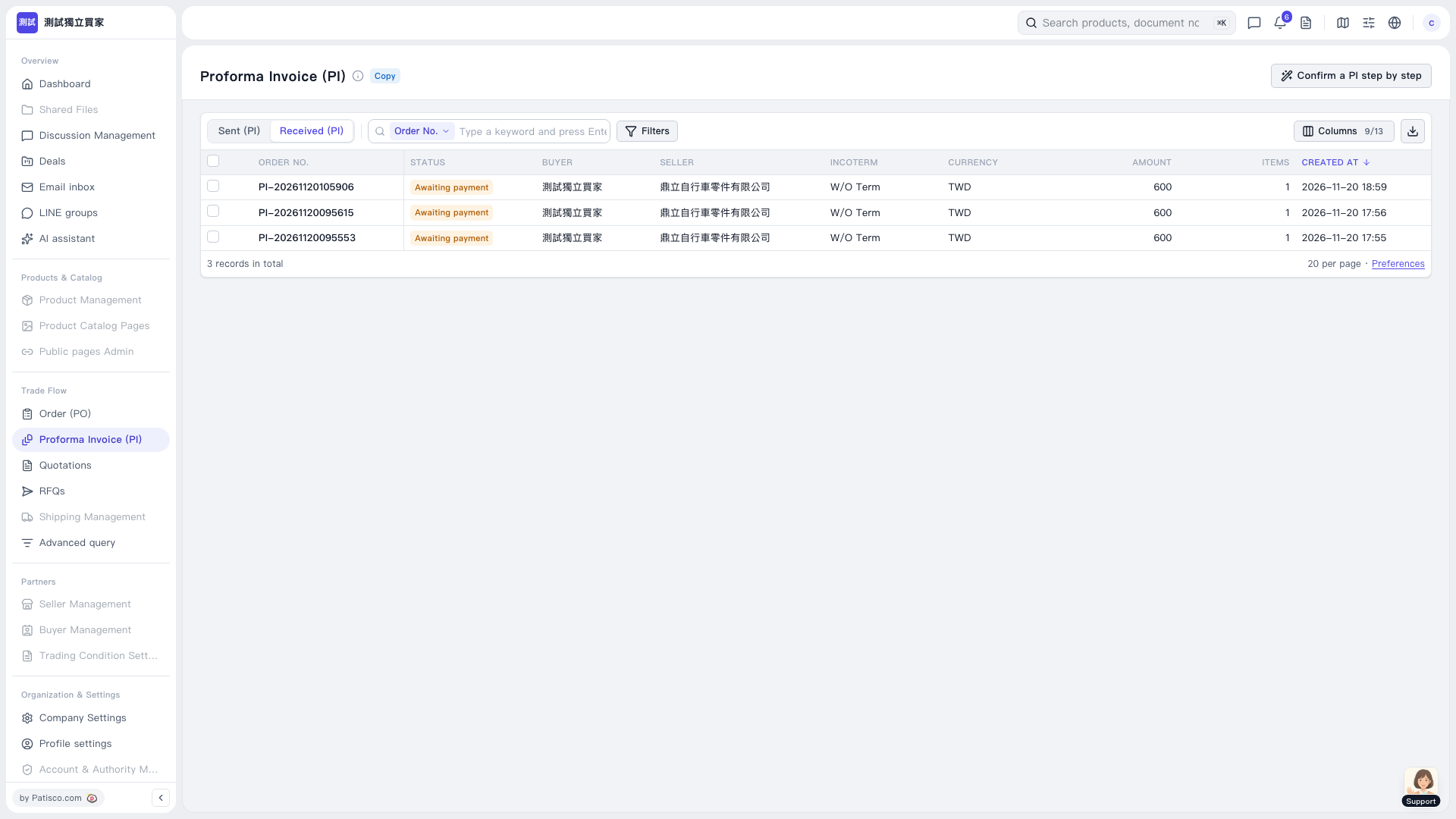 V5 新桌面版|Proforma Invoice (PI)(頁面標題旁有「Copy」標籤)