
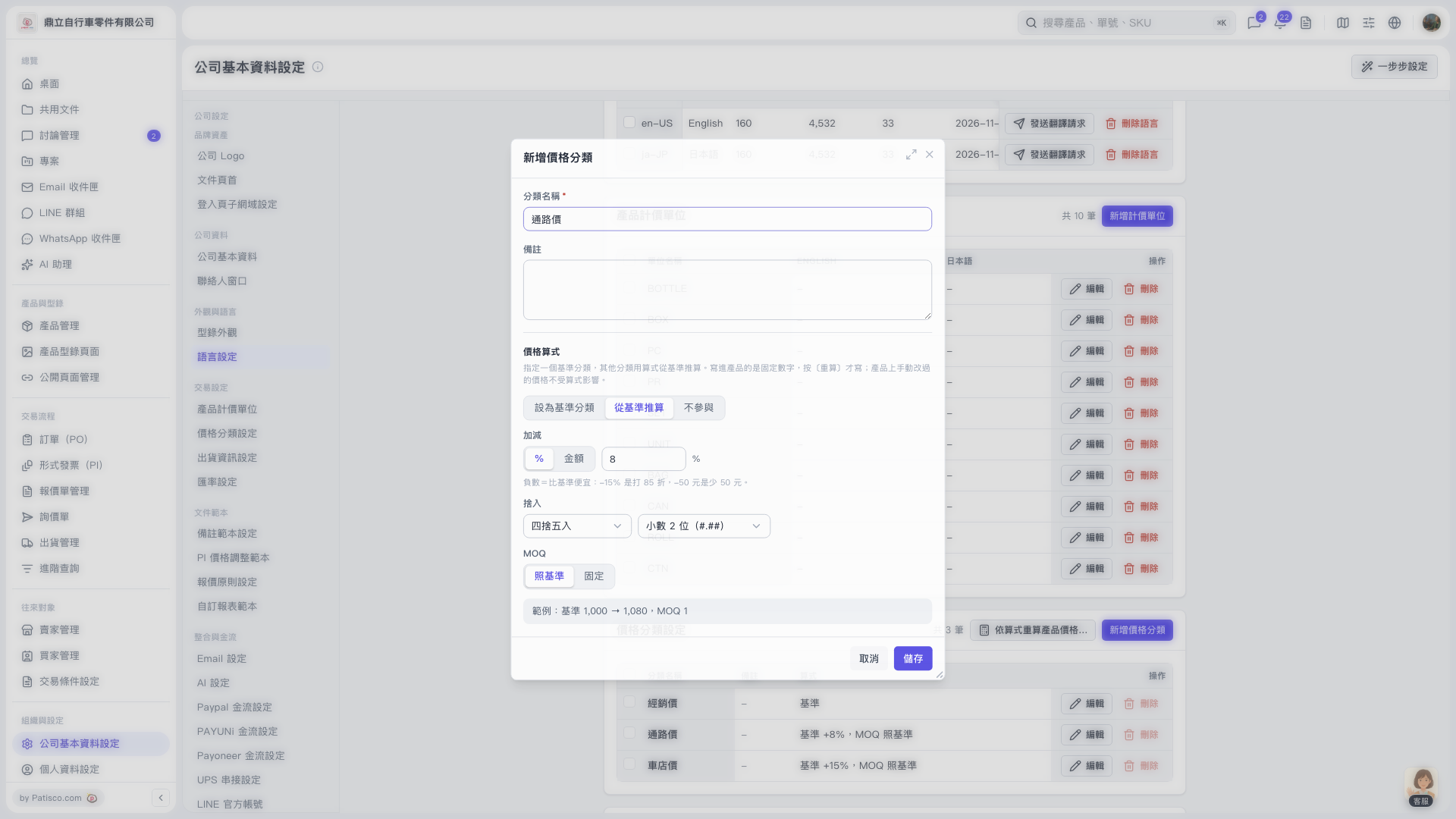
1. In the price category section of "Company Profile Settings", click [Add Price Category]. 2. Enter the required "Category Name" and add "Notes" if needed. 3. Under "Price Formula", select [Calculate from Base]. 4. Under "Adjustment", select [%] or [Amount], then enter the adjustment value. A negative value reduces the price. 5. Set the "Rounding Method" and "Decimal Places", then select [Same as Base] or [Fixed] under "MOQ". 6. Review the "Calculation Example", then click [Save].
 V5 新桌面版|公司基本資料設定