
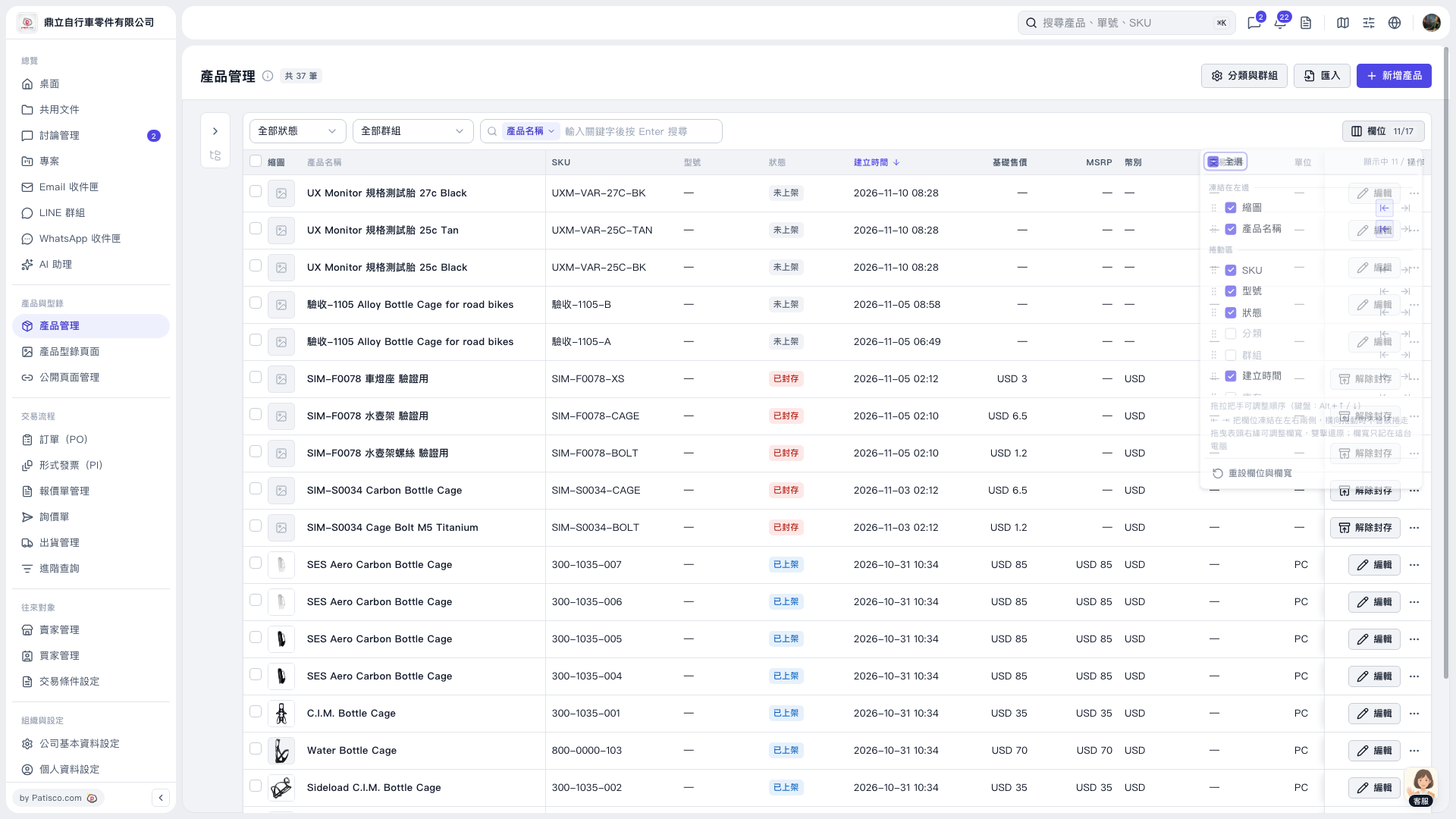
1. Click “Columns 11/17” at the top right of the Product Management list to open the column settings panel. 2. Select the columns you want to show and clear the columns you want to hide, such as “SKU,” “Model,” “Category,” or “Group.” 3. Drag the handle on the left of a column to change its order. You can also use Alt + ↑/↓. 4. Use the arrow controls on the right of a column to freeze it on the left or right. 5. To reset the column configuration and widths, click “Reset Columns and Column Widths” at the bottom of the panel.
 V5 新桌面版|產品管理