
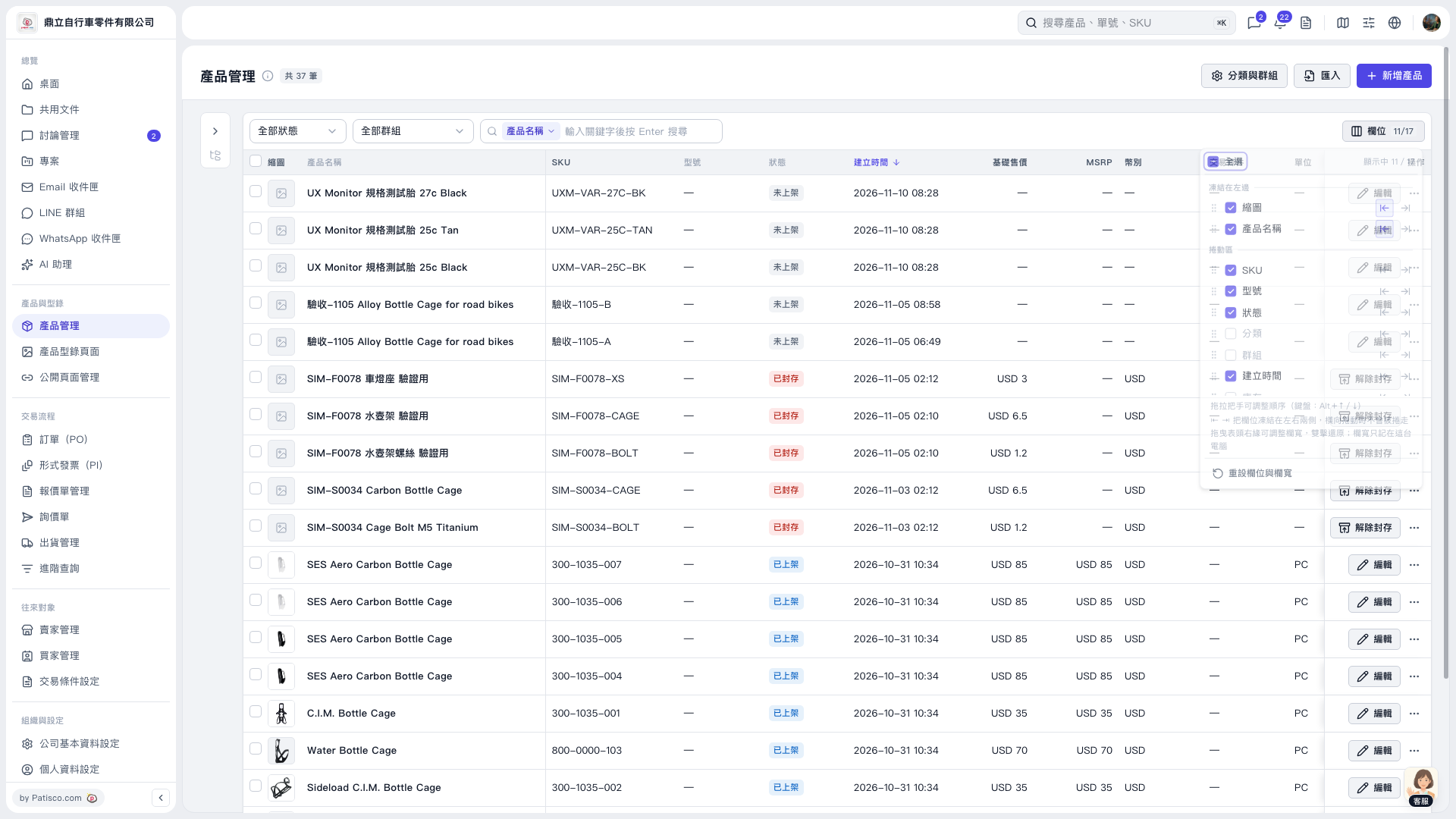
1. Click the “Columns” button at the top right of the Product Management list to open the column settings panel. 2. Select “Base Selling Price,” “MSRP,” “Currency,” or “Unit” to show the columns you need. Clear a checkbox to hide its column. 3. To show all columns, click “Select All.”
 V5 新桌面版|產品管理