
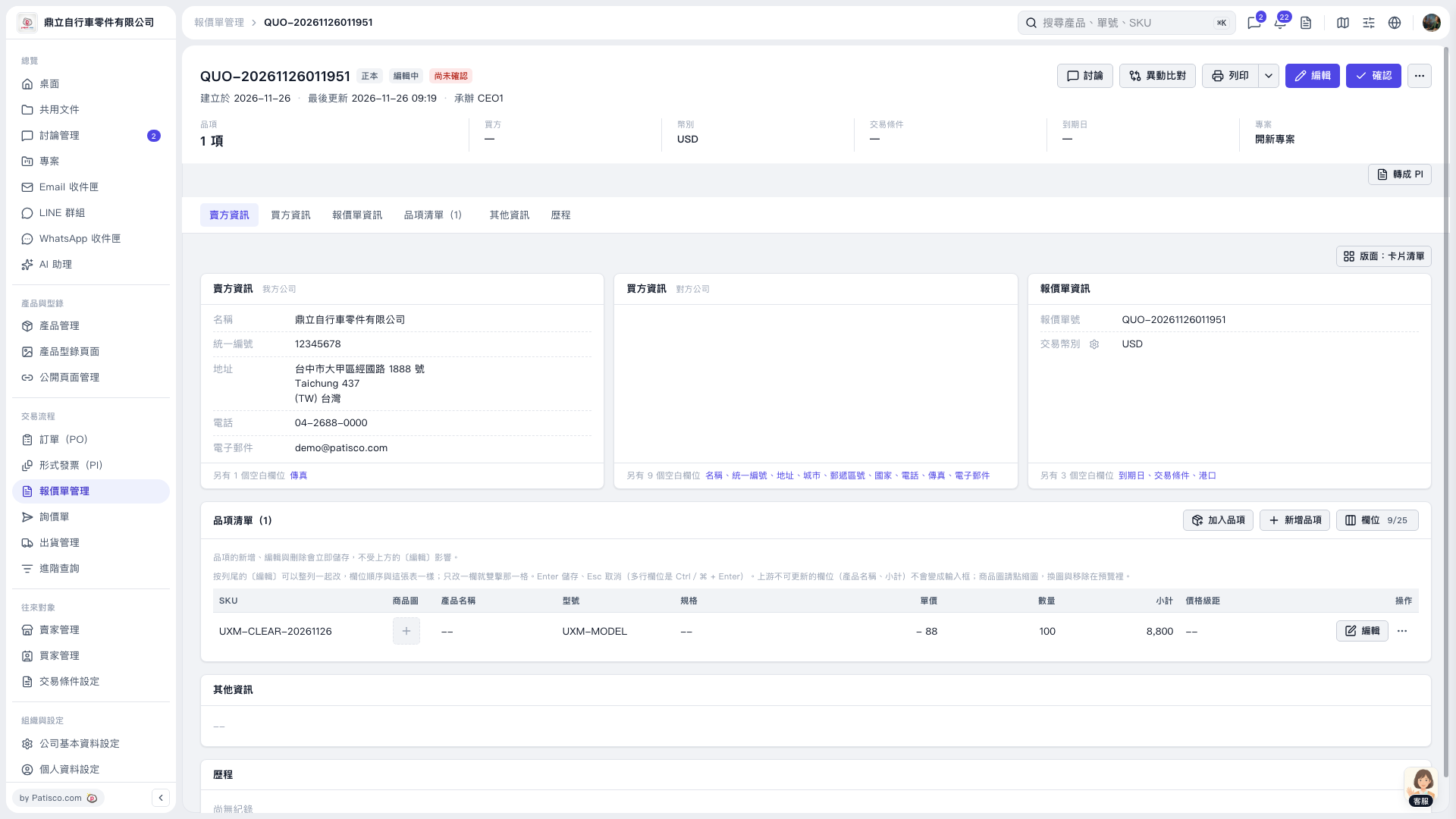
1. Open the quotation and check "Unit Price," "Quantity," "Subtotal," and the price breaks in the item list. If no price breaks are set, "--" is displayed. 2. To make adjustments, click "Edit" on the right side of the item. Adding, editing, or deleting item data is saved immediately and is independent of "Edit" in the upper-right corner of the quotation. 3. After checking the quotation contents, click "Confirm" in the upper-right corner.
 V5 新桌面版|QUO-20261126011951