
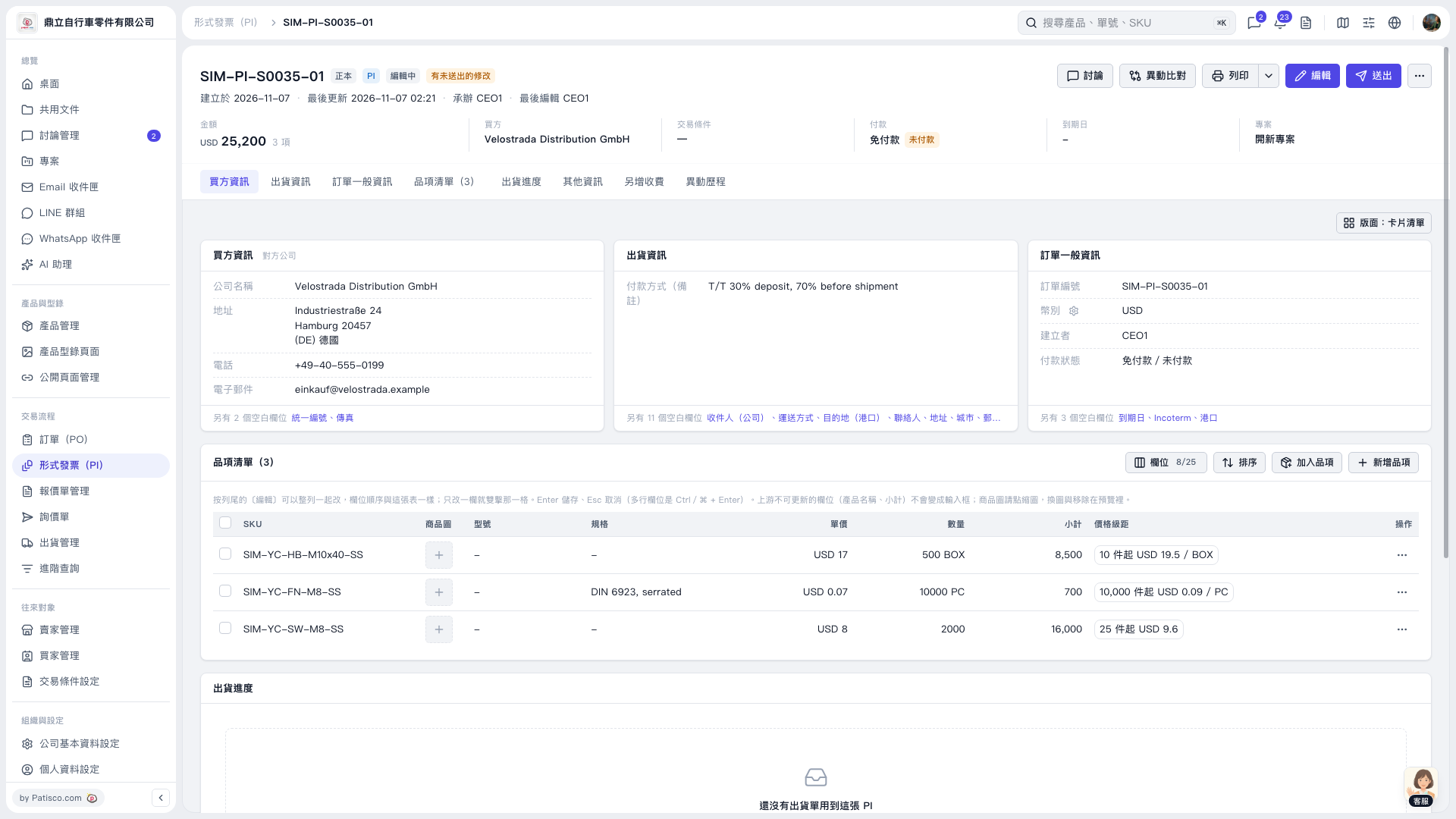
1. Open the Proforma Invoice, click "Shipping Information", and locate "Payment Method (Remarks)". 2. Click "Edit" in the upper-right corner and modify "Payment Method (Remarks)". You can enter up to 50 characters. 3. Click "Save". If you exceed the character limit, a "Maximum 50 characters" message will appear. Shorten the text and save again. 4. After confirming that the payment method information is correct, click "Send" in the upper-right corner to send any changes that have not yet been sent.
 V5 新桌面版|SIM–PI–S0035–01