
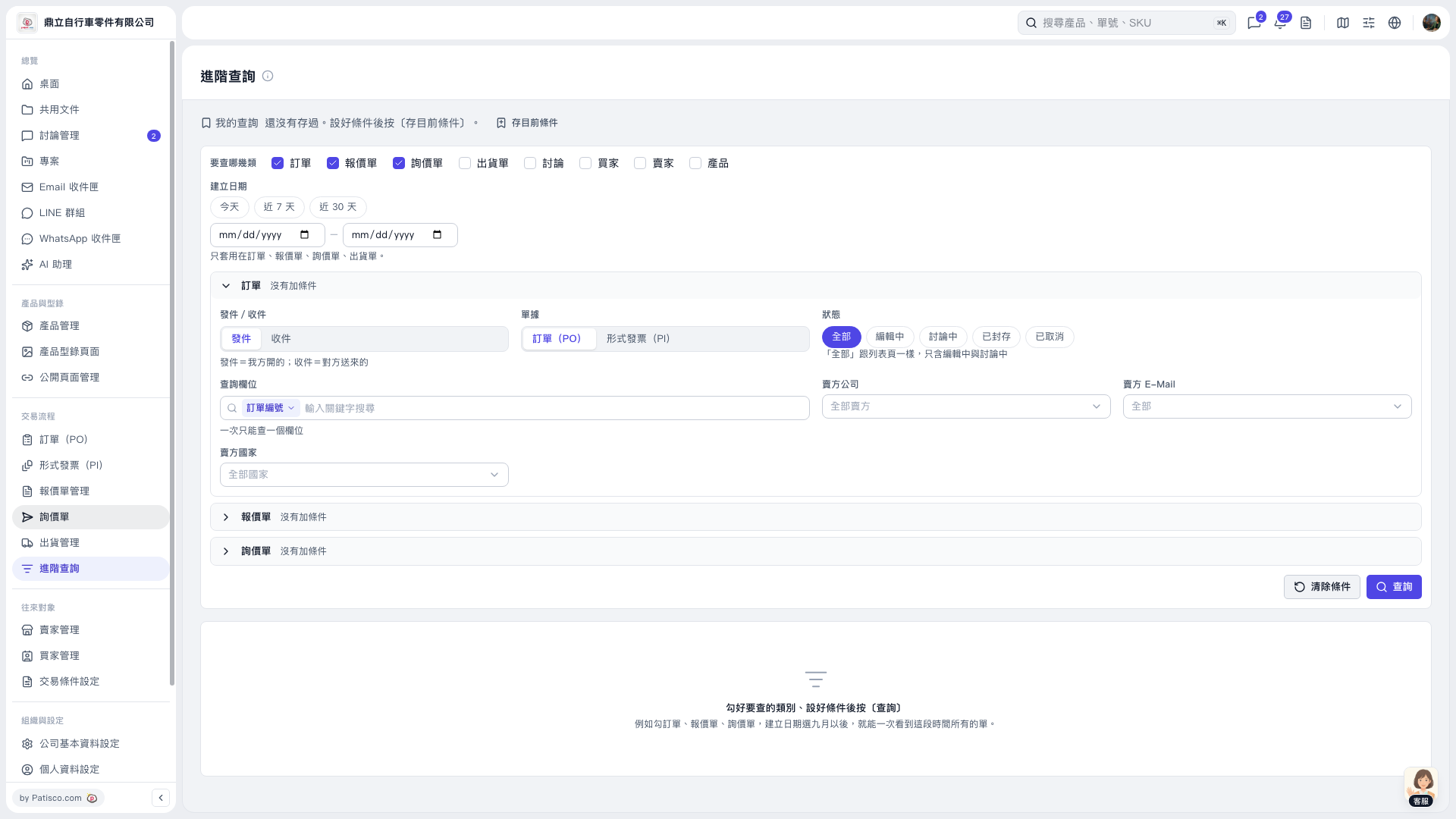
1. Under "Categories to Search" in "Advanced Search", select the data categories you want to find, such as "PO", "Buyers", or "Products". 2. To filter by creation date, click "Today", "Last 7 Days", or "Last 30 Days", or enter a start date and an end date. Date filters apply only to POs, quotations, inquiries, and shipping documents. 3. Expand the document section you want to configure. For example, under "PO", set "Sent/Received", the document type, and the status. The "All" status includes only "Editing" and "In Discussion". To find "Archived" or "Canceled" documents, select the corresponding status. 4. Select a "Search Field" and enter a "Keyword". You can search only one field at a time. You can also set "Seller Company", "Seller E-Mail", and "Seller Country" as needed. 5. Click "Search" in the lower-right corner and view the matching data in the results area below.
 V5 新桌面版|進階查詢