
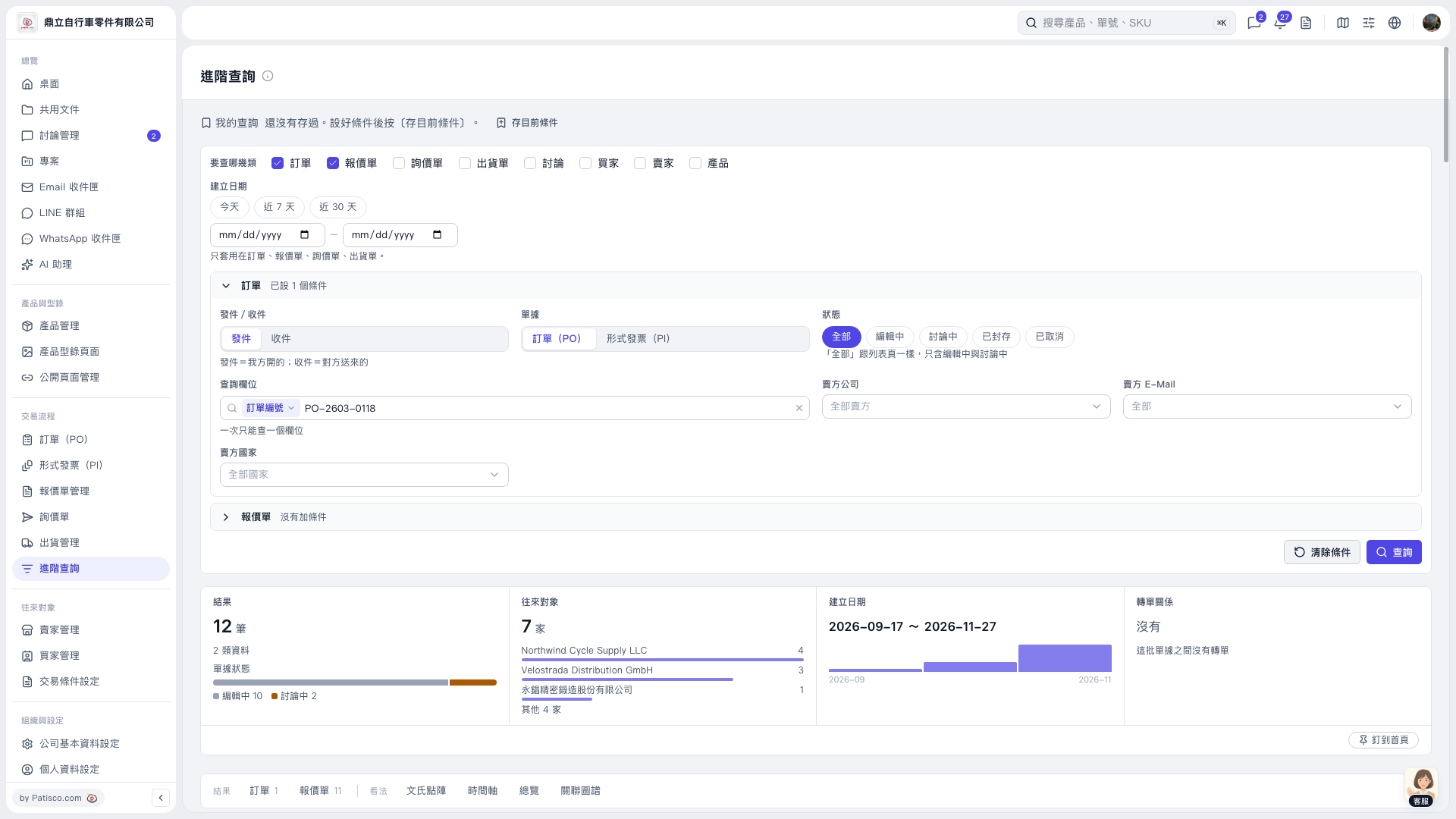
1. Under "Categories to Search" in "Advanced Search", select "PO". 2. Expand the "PO" criteria section and set Sent/Received, the document type, and the status as needed. 3. Select "PO Number" under "Search Field" and enter the PO number you want to find in "Search Value". You can search only one field at a time here. 4. Click "Search" in the lower-right corner to view the results summary and the tabs for each data category below.
 V5 新桌面版|進階查詢