
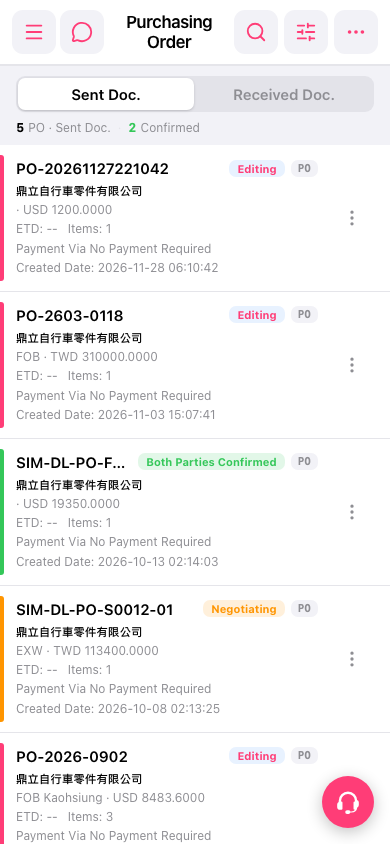
1. On the "PO" page, first select "Sent Doc." or "Received Doc.". 2. Tap the magnifying glass in the upper-right corner to search for a PO, or tap the adjustment icon to set filter criteria. 3. Once you find the PO, tap its card to view the contents. For other actions, tap the vertical three-dot menu on the right of that PO.
 手機版|採購訂單(Purchasing Order)