
1. Tap "Search" (the magnifying glass icon) in the upper-right corner to search for a quotation, or tap "Filter" (the adjustment sliders icon) to set filter criteria for the list. 2. Once you find the quotation in the list, tap it to view its contents. 3. To see other actions available for the quotation, tap the vertical three-dot icon on its right.
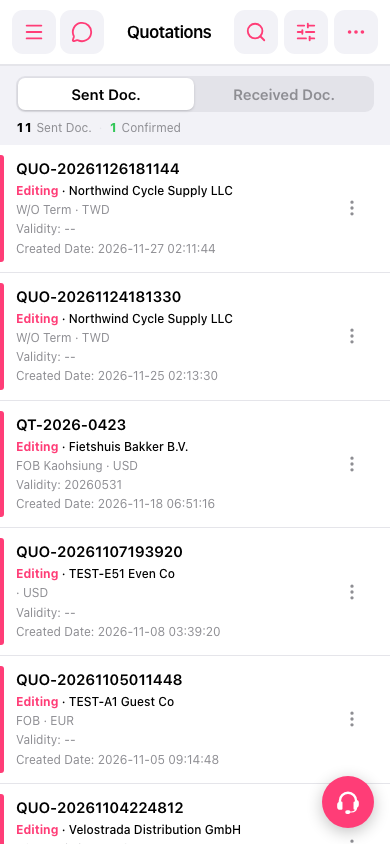 手機版|報價單(Quotations)