
1. In the “Passkey” window, find the passkey you want to delete and select “⋮” on the right. 2. Select “Delete” in red. The confirmation dialog will show the name of the passkey to be deleted. 3. Confirm that the name is correct, then select “Delete”. A “Deleted” message will appear after deletion succeeds. Other devices logged in with this passkey will also be logged out. You can check the number of devices logged out in the message. 4. Select “Done” in the upper-right corner to close the passkey management window.
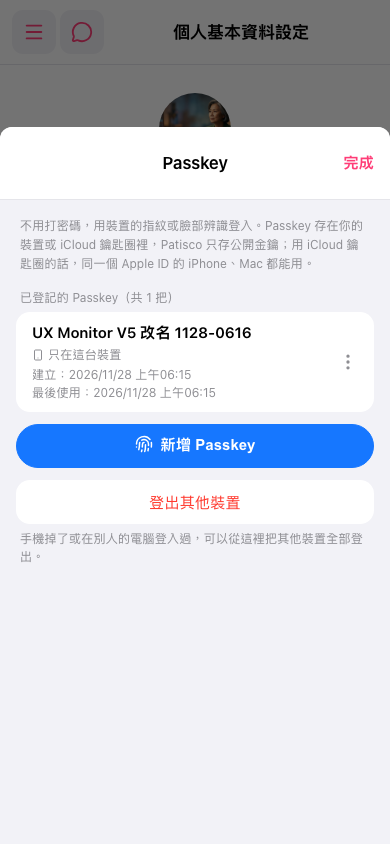 手機版|個人基本資料設定/Passkey