
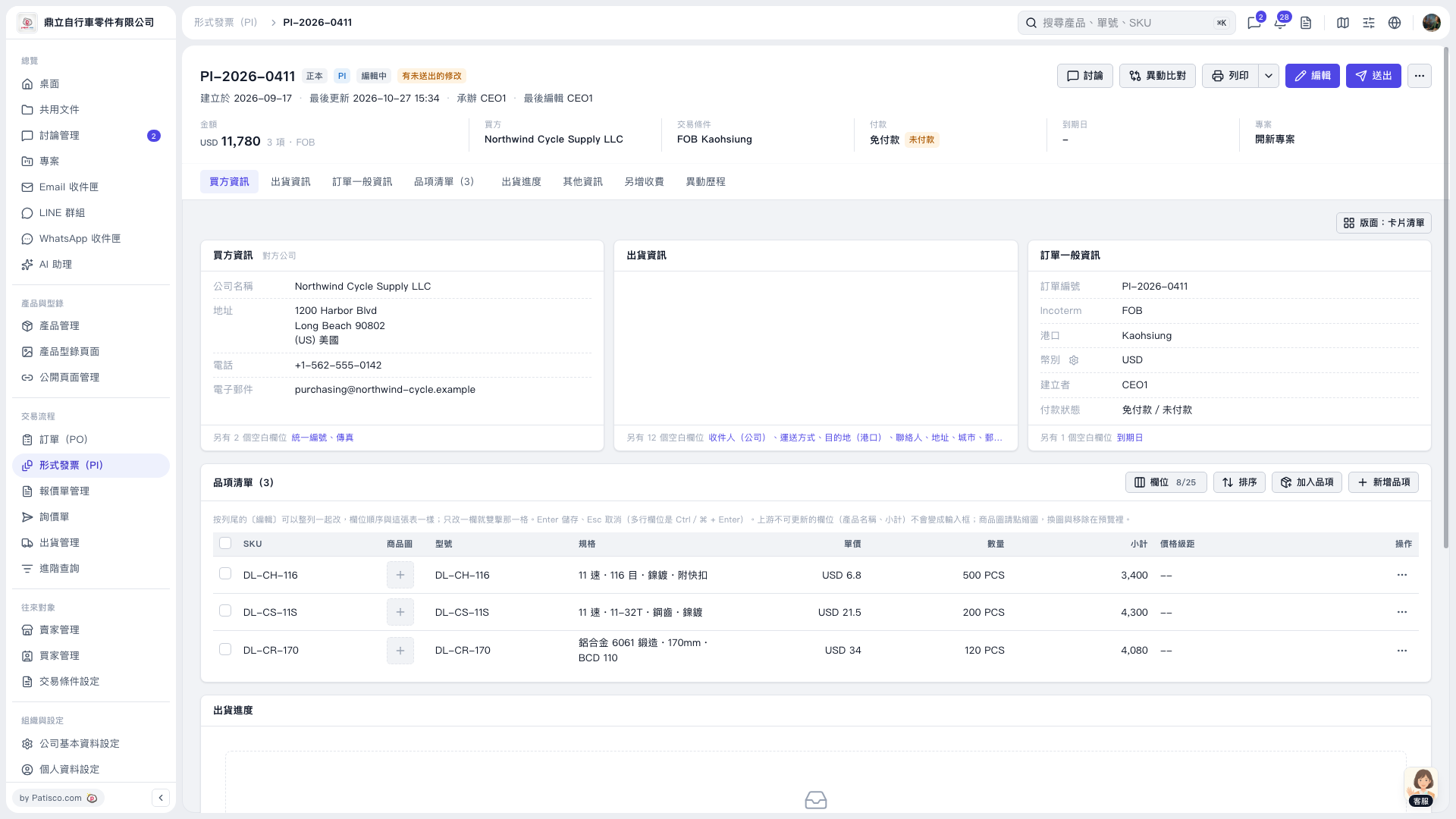
1. Open a Proforma Invoice details page and first check the invoice number, buyer, amount, and trading conditions at the top. 2. At the top right, you will find [Discussion], [Diff View], [Print] with a dropdown beside it, [Edit], [Send], and a […] menu for more actions. 3. Below the summary, you can switch between sections such as “Buyer Information,” “Shipping Information,” “General PO Information,” “Item List,” “Shipping Progress,” “Other Information,” “Additional Charges,” and “Change History” to view their contents. 4. Use “Layout” at the top right of the content area to change how information is displayed, such as a card list.
 V5 新桌面版|PI–2026–0411