
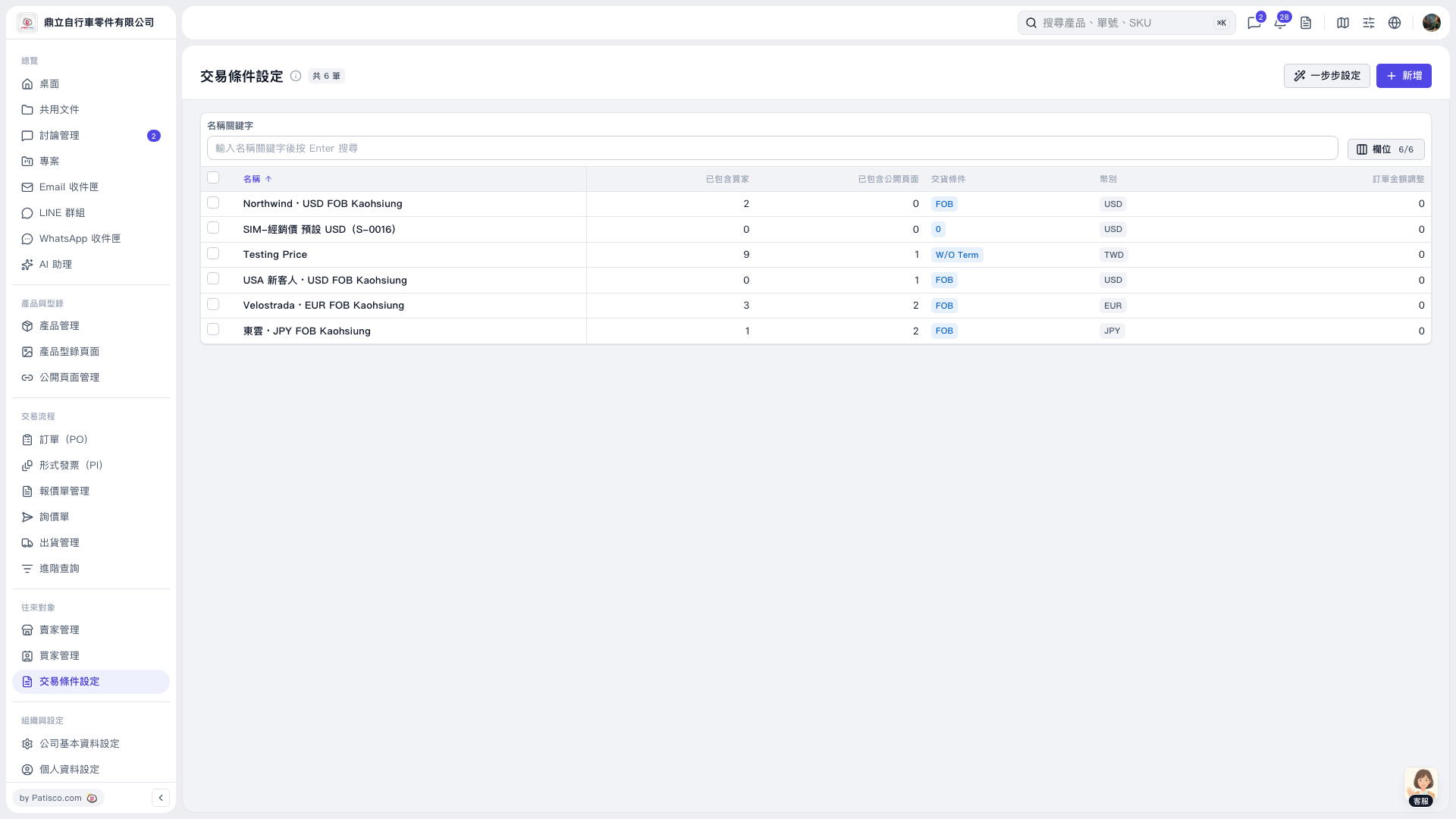
1. In the “Business Partners” area on the left, click “Trading Condition Setting” to open the Trading Condition Setting page. 2. The list shows existing trading conditions, with columns including “Name,” “Included Buyers,” “Included Public Pages,” “Delivery Terms,” “Currency,” and “PO Amount Adjustment.” 3. To find a specific set, enter its name in “Name Keyword” above the list and press Enter to search. 4. To choose which columns appear in the list, use “Columns” to the right of the search bar. Click “Name” in the table header to sort by name.
 V5 新桌面版|交易條件設定