
1. Open the Proforma Invoice you want to check in V5 and confirm that the page title matches the document you want to work on. 2. Check the “Payment” summary at the top. It shows the payment method and current status, such as “No Payment Required” or “Unpaid”. 3. Click “General Order Information” in the tab bar at the top and check “Payment Status” in the card. You can also verify the amount, currency, and buyer details there. 4. To change the details, click [Edit] in the upper-right corner to enter the editing screen, make your changes, and click [Submit]. 5. If an indicator next to [Submit] in the upper-right corner shows unsubmitted changes, those changes have not yet been submitted. If you leave without clicking [Submit], the other party will not receive them.
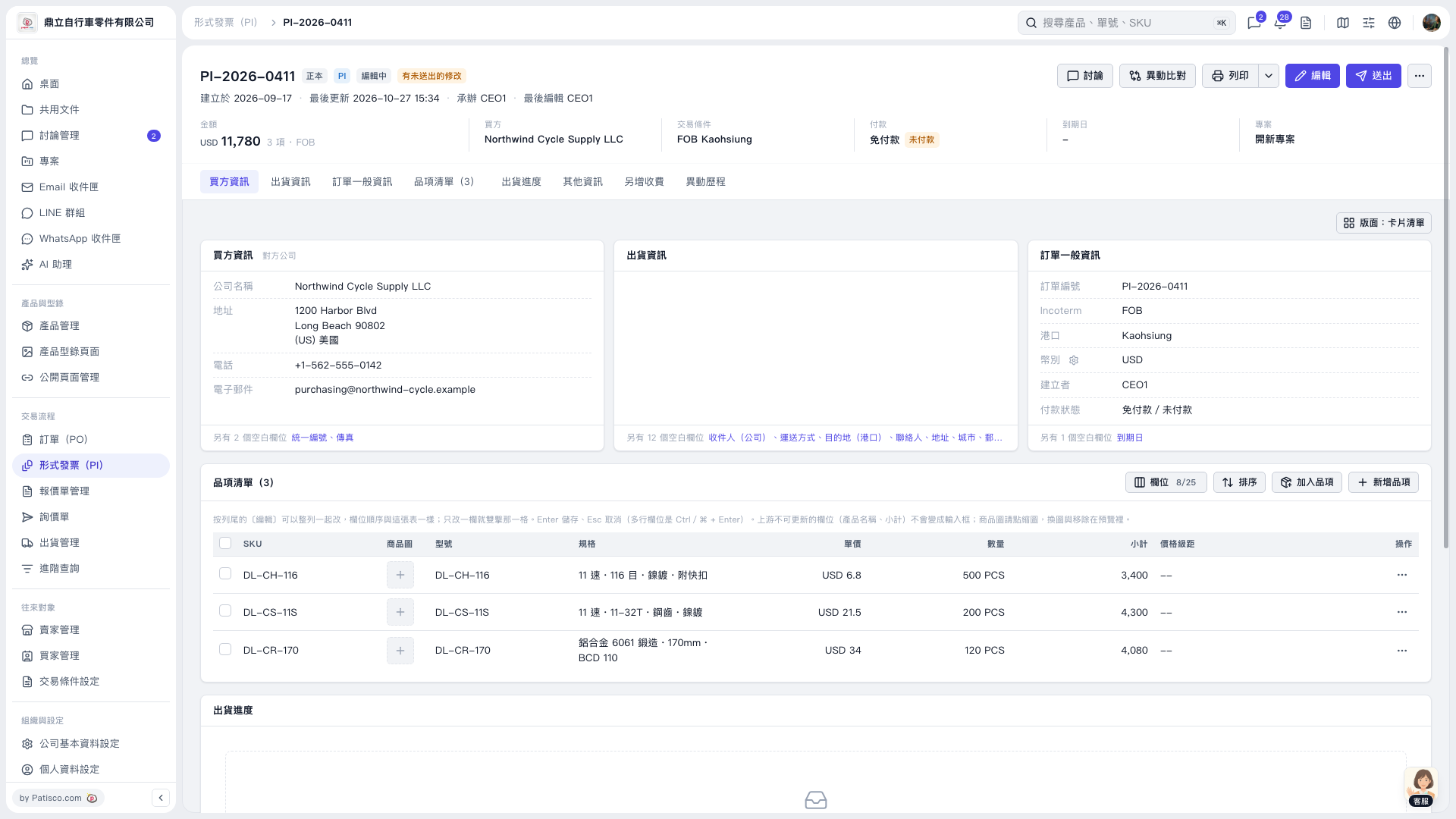 V5 新桌面版|PI–2026–0411