
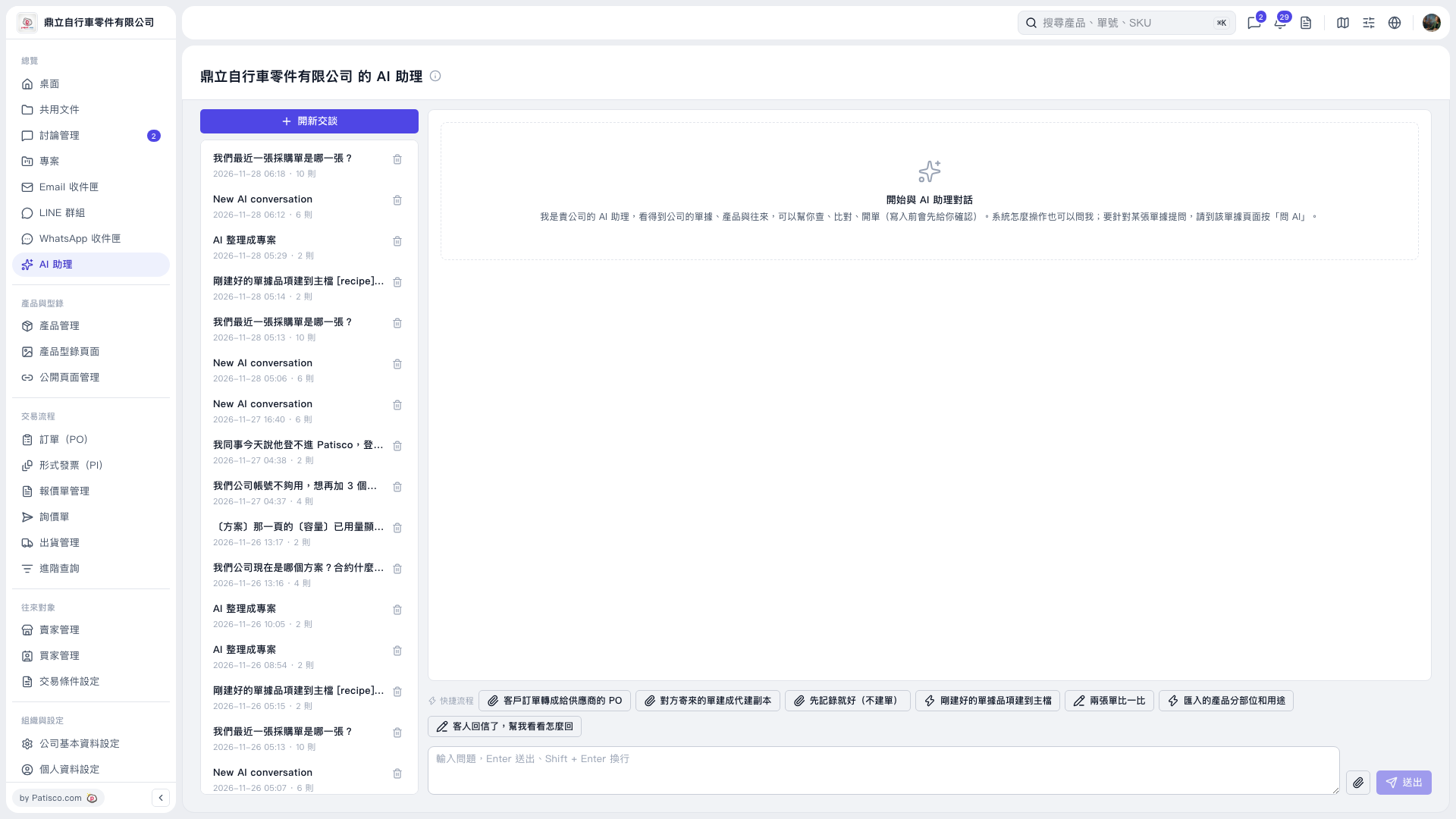
1. Click “AI assistant” in the left sidebar to open the page. 2. Check the shortcut workflow bar above the input box. The following buttons are currently available: - Convert a customer PO into a supplier PO: Attach the customer's PO and have the AI convert it into a PO for the supplier. - Create a copy on behalf of the other party from a document they sent: Attach the document sent by the other party to create a copy on their behalf. - Record only (do not create a document): Record the document contents without creating a formal document. - Add items from the document just created to the product master: Add the items in the document just created to the product master. - Compare two documents: Compare the differences between two documents. - Categorize imported products by part and use: Categorize imported products by part and use. - The customer replied—help me respond: In the second row of the shortcut workflow bar, ask the AI to analyze the customer's reply and suggest a response. 3. Click the button you want to use to load the preset workflow, then follow the on-screen instructions to provide the required information or attachments. The AI will ask for your confirmation before writing data and will create it only after you confirm.
 V5 新桌面版|鼎立自行車零件有限公司 的 AI 助理