
1. Click “AI assistant” in the left sidebar. 2. Click “New conversation” above the conversation list on the left to start a new conversation. To continue a previous conversation, click it in the history on the left. 3. Enter your question in the message box at the bottom, or click a quick workflow button above it. 4. If you need AI to process a file, click the paperclip icon on the right side of the message box to upload an attachment. 5. Press Enter or click “Send” at the bottom right of the message box. Press Shift + Enter to insert a line break. When the message box is empty, “Send” is dimmed and disabled. 6. Review the AI response. Before writing data, AI will ask for your confirmation and will only create the data after you confirm. To delete a conversation you no longer need, click the trash icon on the right side of its row in the history.
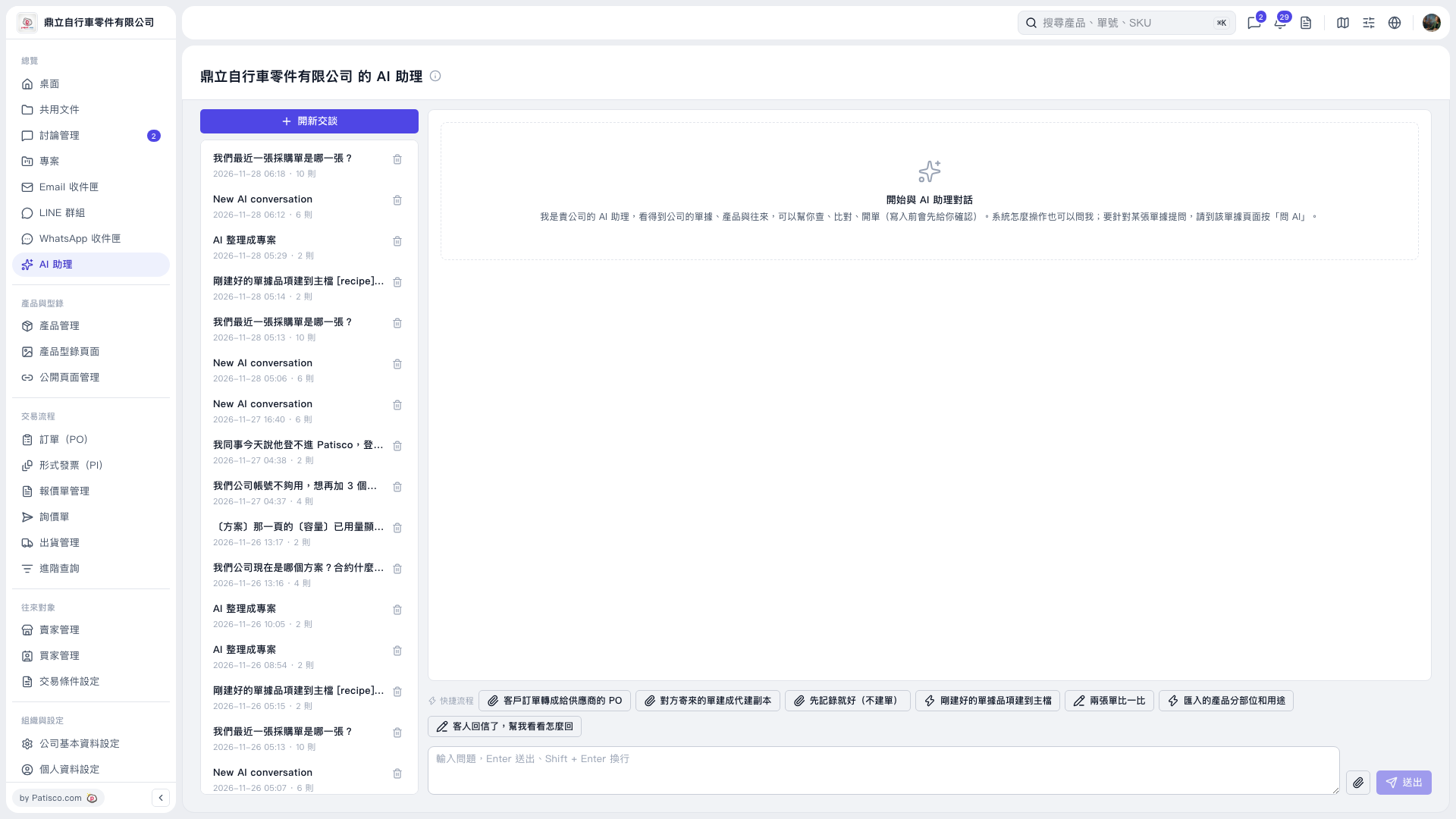 V5 新桌面版|鼎立自行車零件有限公司 的 AI 助理