
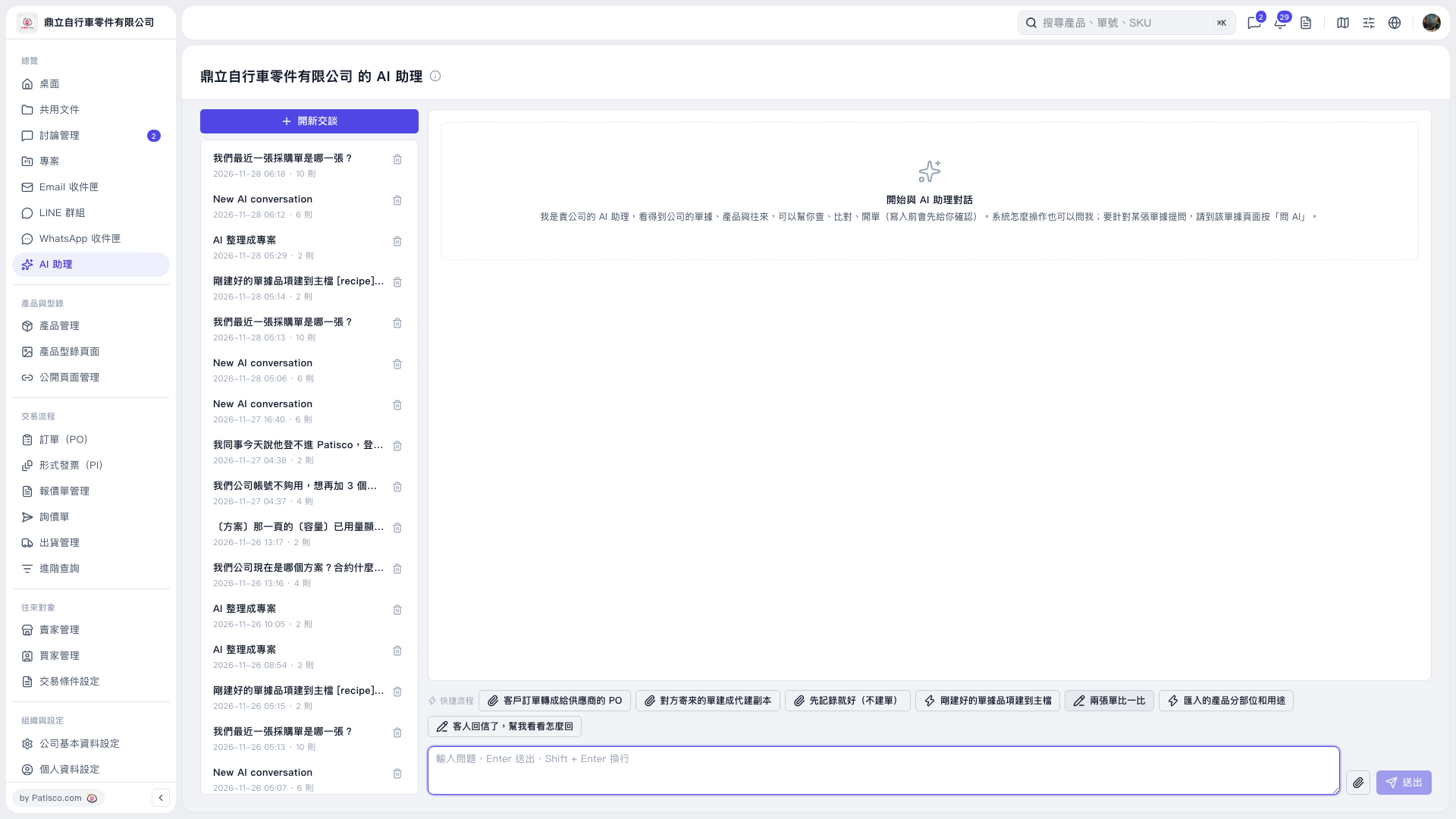
1. Click “AI assistant” in the left sidebar to open the page. 2. Click “New conversation” at the top of the conversation list on the left to start a new conversation, or select an existing conversation from the list to continue it. 3. Click the “Compare two documents” quick workflow above the message box. You can also describe the documents you want to compare directly in the message box. 4. Enter the two documents you want to compare and their document numbers in the message box. If you need to attach files, click the paperclip icon on the right side of the message box to upload them. 5. Press Enter or click “Send” at the bottom right. Press Shift + Enter to insert a line break. 6. Review the comparison results in the AI response. You can ask: “Compare PO ____ with inquiry ____” (fill in the document numbers you want to compare). AI will list the differences between the two documents. If AI needs to write data, the system will ask for your confirmation before proceeding.
 V5 新桌面版|鼎立自行車零件有限公司 的 AI 助理