
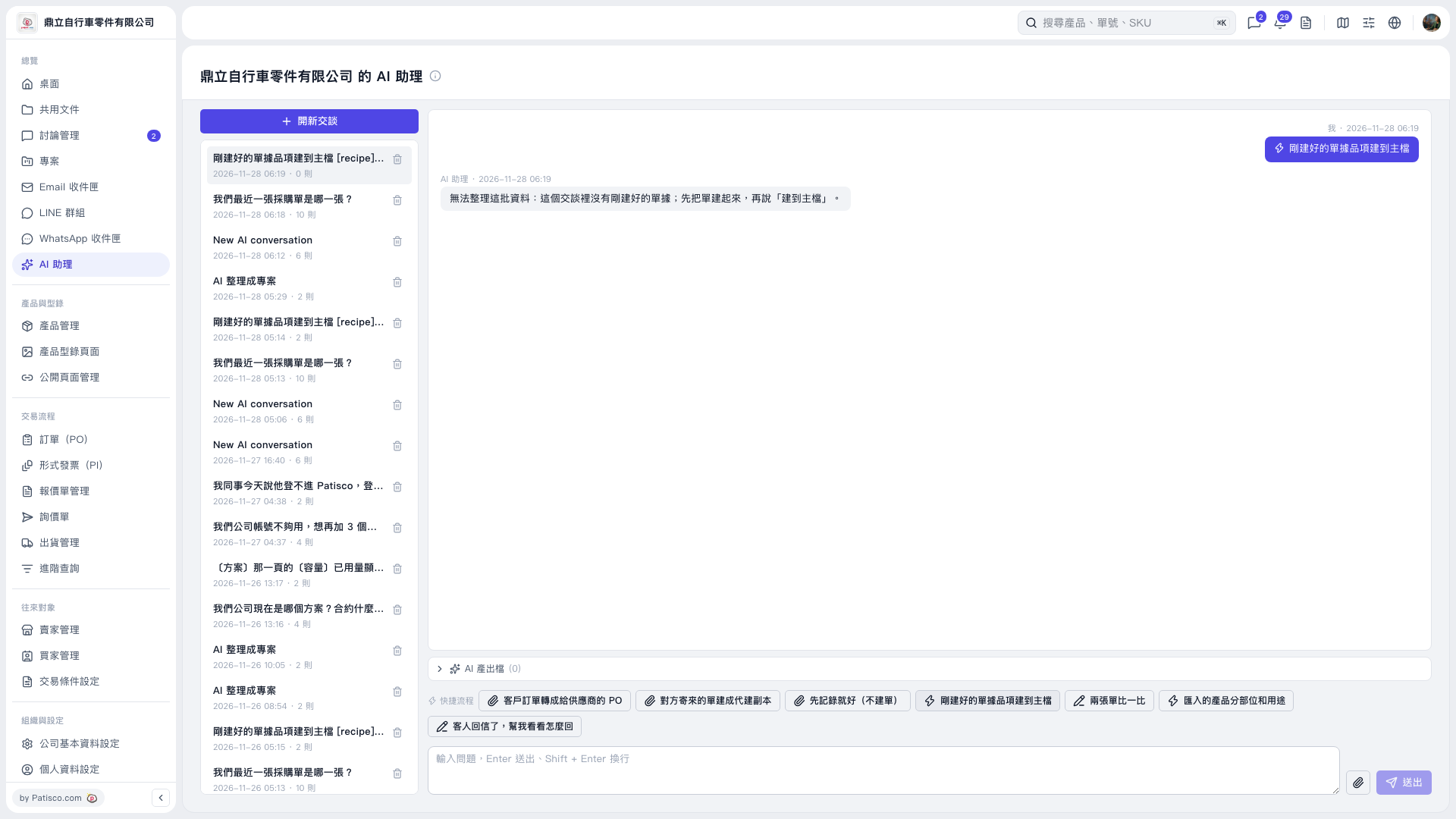
This workflow only processes documents newly created in the same conversation, so you need to create a document in this conversation first. 1. In the same conversation, ask AI to create a PO, or upload a document file. 2. After the document has been created, click “Add items from the newly created document to the product master” above the message box again. You can use this by directly clicking the “Add items from the newly created document to the product master” quick workflow. If there is no document in the conversation yet, AI will reply: “Unable to organize this batch of data: there is no newly created document in this conversation. Create the document first, then say ‘Add to the product master.’” Reminder: If you created the document in another conversation, run the workflow in that conversation, or create the document again in a new conversation.
 V5 新桌面版|鼎立自行車零件有限公司 的 AI 助理