
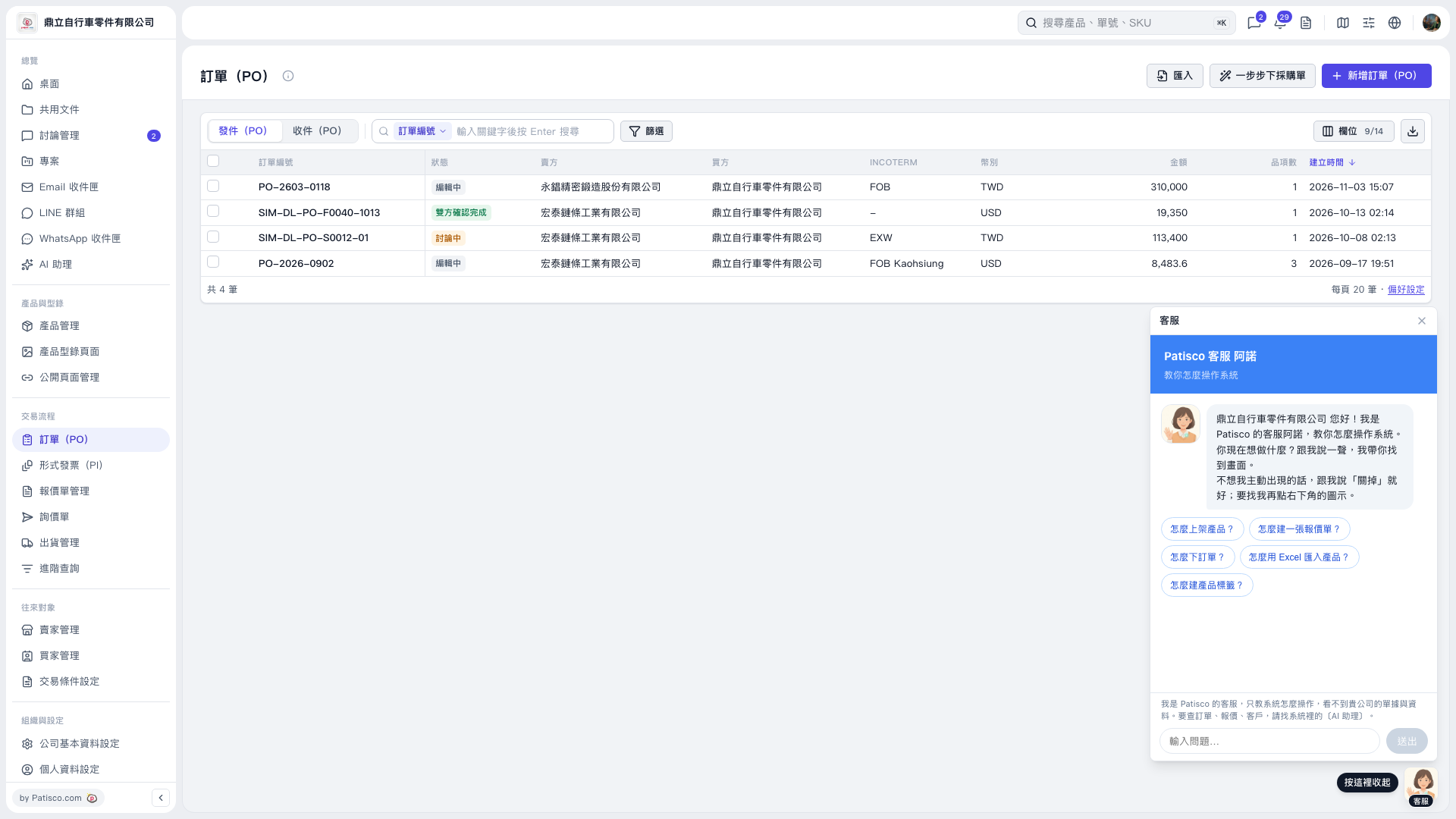
1. Click “PO” under “Trading Process” in the left sidebar. 2. Above the list, select the “Sent (PO)” tab for POs you have sent, or the “Received (PO)” tab for POs you have received. 3. First, select a search field to the left of the search box, such as PO number. Enter a keyword, then press Enter. 4. To narrow the results, click “Filter” to the right of the search box. 5. Once you find the PO, click its number to open it for viewing or editing. The list includes columns such as PO number, status, seller, buyer, INCOTERM, currency, amount, item count, and creation time. Statuses include Editing, Under discussion, and Confirmed by both parties. To change which columns appear in the table, click “Columns” at the top right of the list. To export or download the list, click the download icon at the top right.
 V5 新桌面版|訂單(PO)