
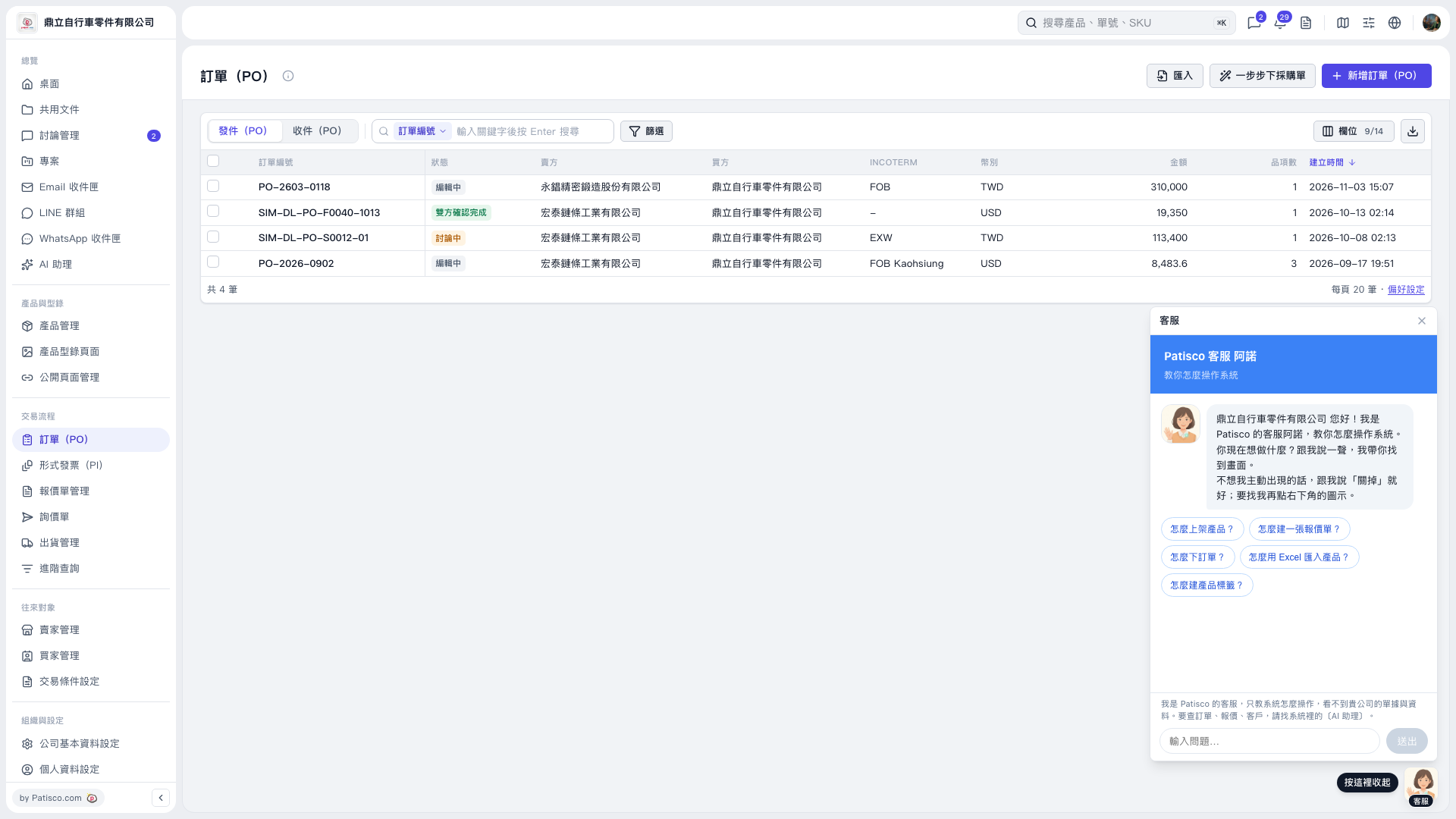
1. Open “PO” under “Trading Process” in the left sidebar. 2. Click the blue “New PO” button at the top right to fill out the form yourself, or click “Create a PO step by step” to create one through the guided workflow. 3. Fill in the seller, buyer, INCOTERM, currency, and items in the form, then save. 4. Return to the list and click the PO number to continue viewing or editing it. If you already have PO data that you want to bring in all at once, click “Import” at the top right. If you are unsure how to proceed, click “Customer Support — Arno” in the floating window at the bottom right. The panel explains how to use the system and provides quick question buttons, such as “How do I place a PO?” You can ask “How do I place a PO?” and Arno will guide you through the steps.
 V5 新桌面版|訂單(PO)