
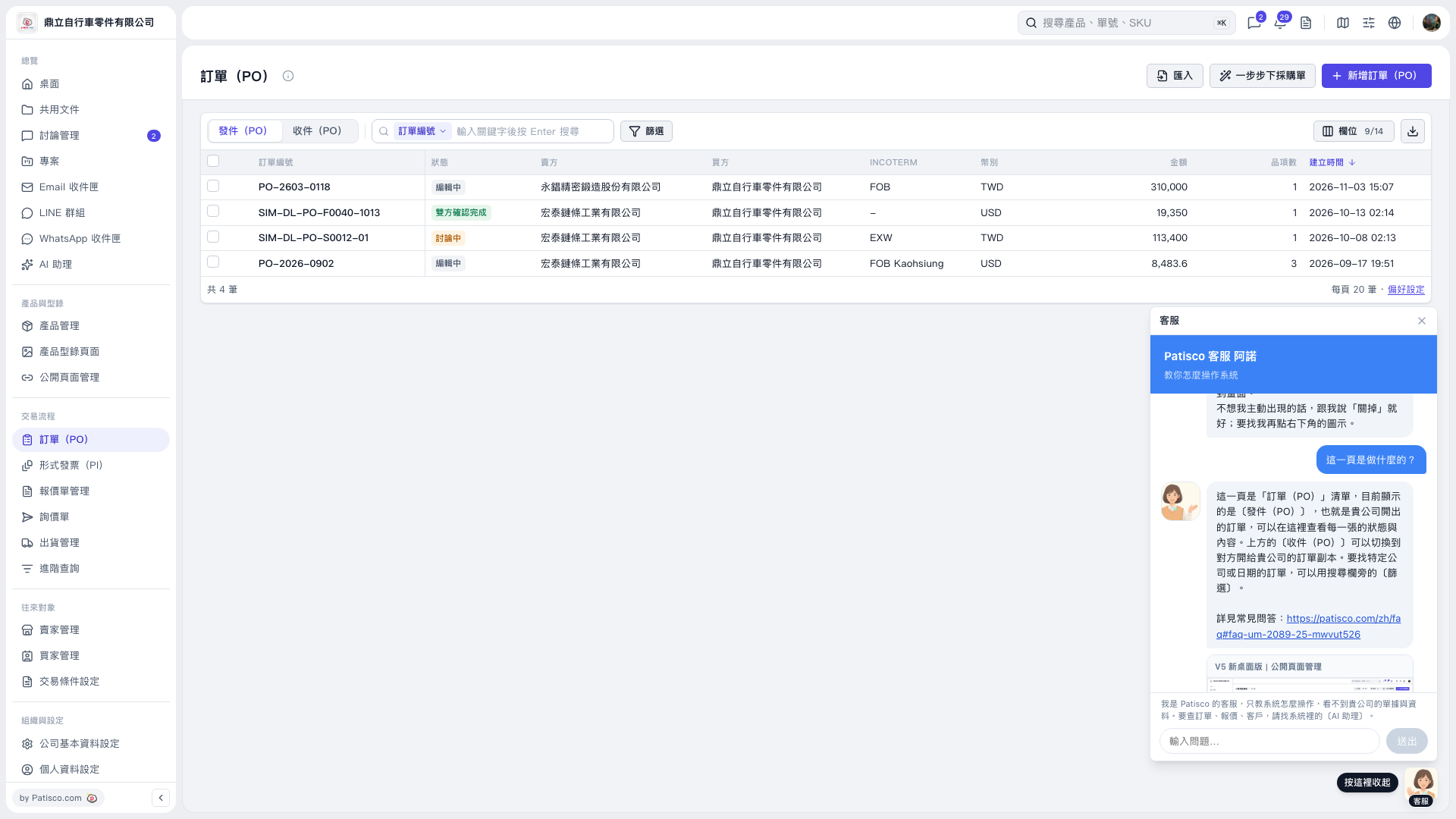
1. In the left sidebar, click “PO” under “Trading Process.” 2. Select the [Sent (PO)] or [Received (PO)] tab above the list. [Sent (PO)] contains POs issued by your company, and [Received (PO)] contains POs issued to you by the other party. 3. Click a PO number in the list to view its status and contents. The list displays fields including PO number, status, seller, buyer, INCOTERM, currency, amount, number of items, and creation time. You can ask Arno: “What can I do on the PO page?” Arno will explain that this page is a PO list and currently shows [Sent (PO)]. You can view the status and contents of each PO, or switch to [Received (PO)] above the list to see POs issued to you by the other party.
 V5 新桌面版|訂單(PO)