
1. In the search box above the list, first select a search field (such as PO number), enter a keyword, and press Enter to search. 2. To narrow the results using conditions, click [Filter] to the right of the search box and set conditions, such as a specific company or date. 3. To change the columns displayed in the table, click [Columns] at the top right of the list and select the columns to display. 4. To export data, click the download icon in the top-right corner of the list. You can also click [New PO] in the top-right corner to create a PO, click [Create a PO Step by Step] for a guided process, or click [Import] to upload a batch of PO data.
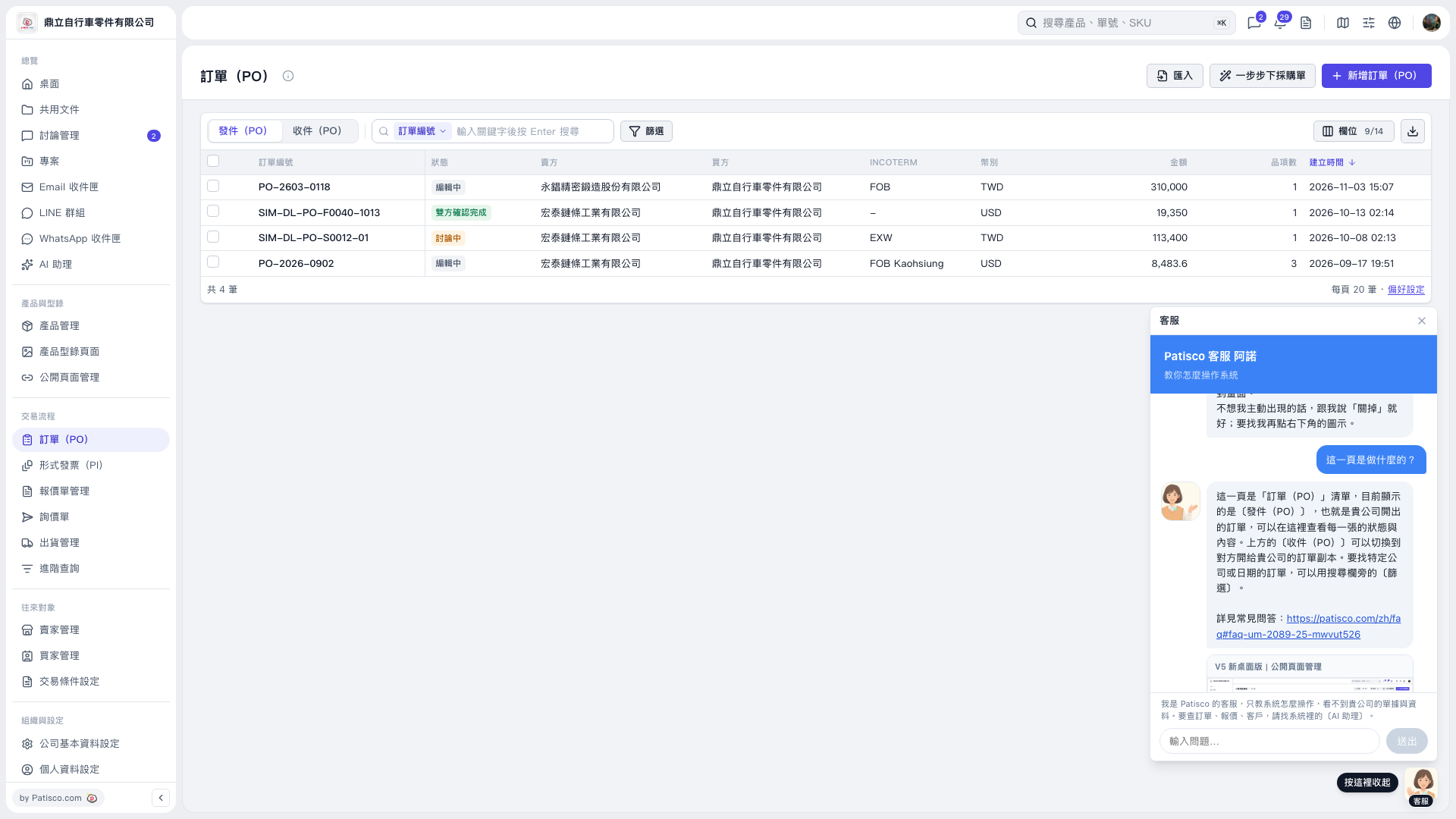 V5 新桌面版|訂單(PO)