
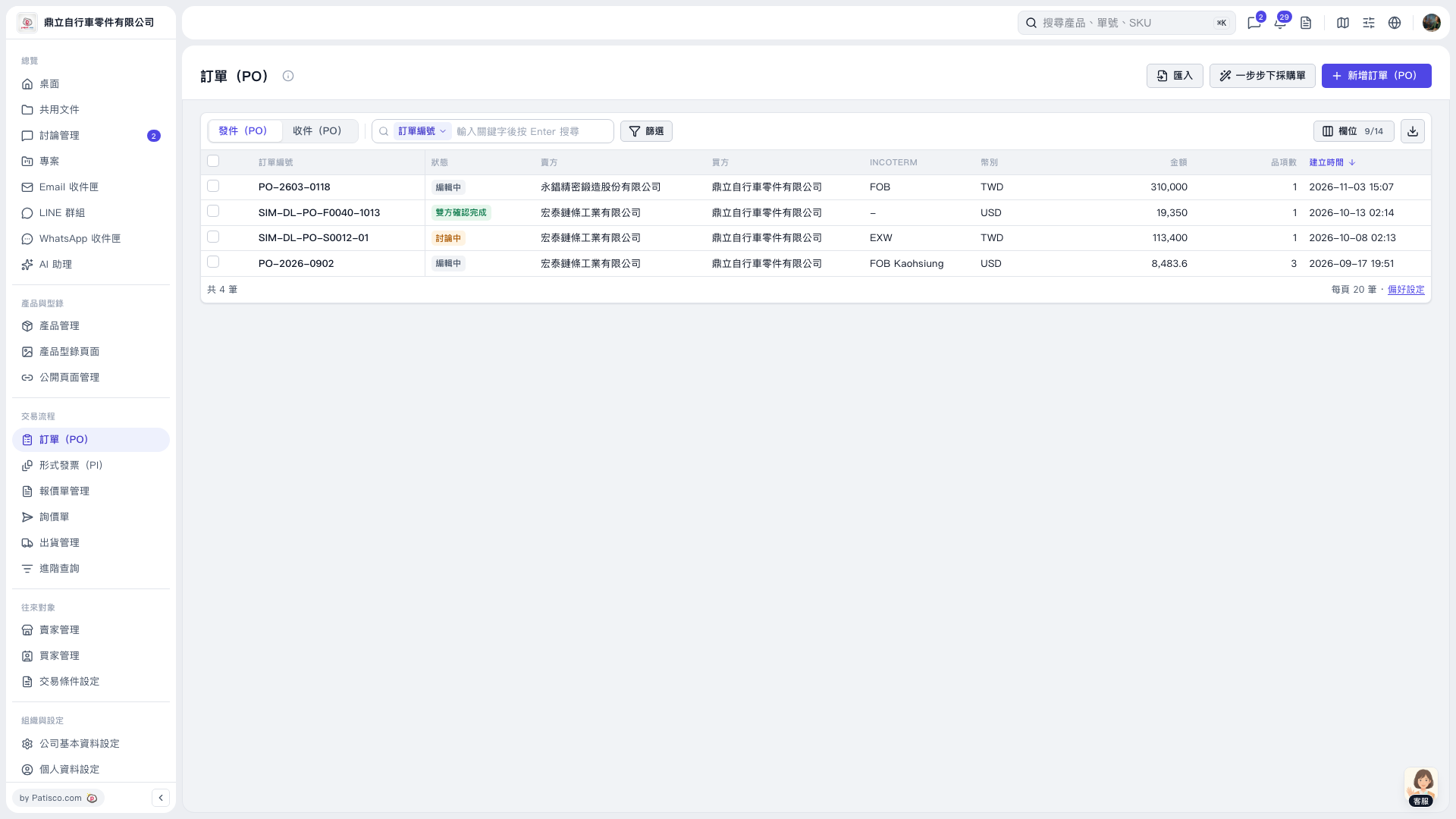
1. In the left sidebar, click “PO” under “Trading Process” to open the list. 2. In the tabs at the top left of the list, select “Sent (PO)” to view POs you have sent, or “Received (PO)” to view POs you have received. 3. The list displays fields including PO number, status, seller, buyer, INCOTERM, currency, amount, number of items, and creation time. 4. Click a PO number in the list to open that PO for viewing or editing.
 V5 新桌面版|訂單(PO)