
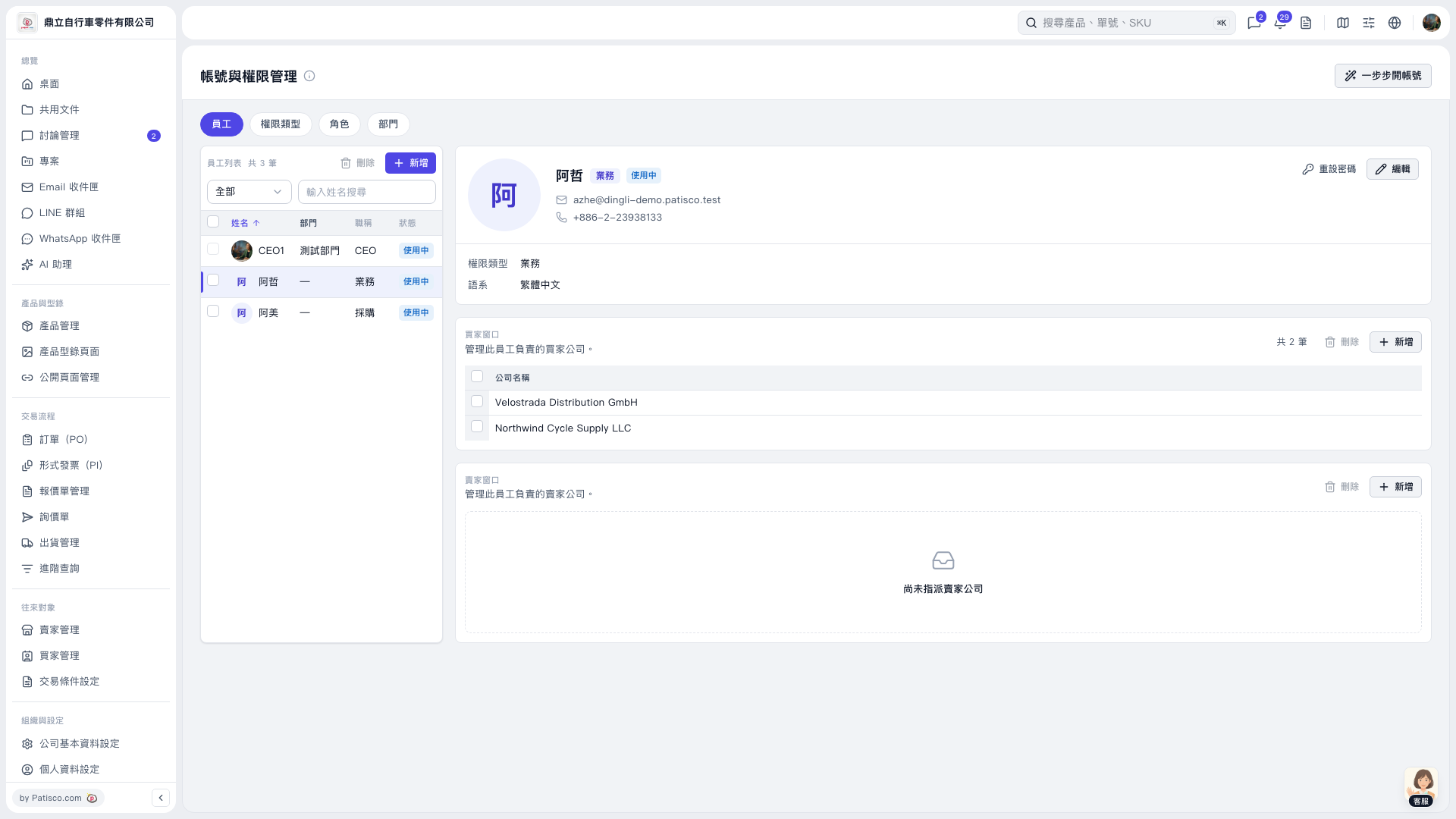
1. Under “Organization & Settings” on the left, open “Account & Permission Management” and make sure you are on the “Employees” tab. 2. Click the employee you want to configure in the employee list. Their contact details, permission type, and language will appear on the right. 3. Find the “Seller Contact” section (or “Buyer Contact” for buyer companies) and click “+ Add” in the top-right corner of the section. 4. In the selection list that opens, you will see “Company Name” and “Invitation Status” columns. Select the companies to assign and save. 5. If you do not want to assign any companies, click “Cancel” to close the list without making changes. To remove an assignment, select the company in the same section and click “Delete.”
 V5 新桌面版|帳號與權限管理