
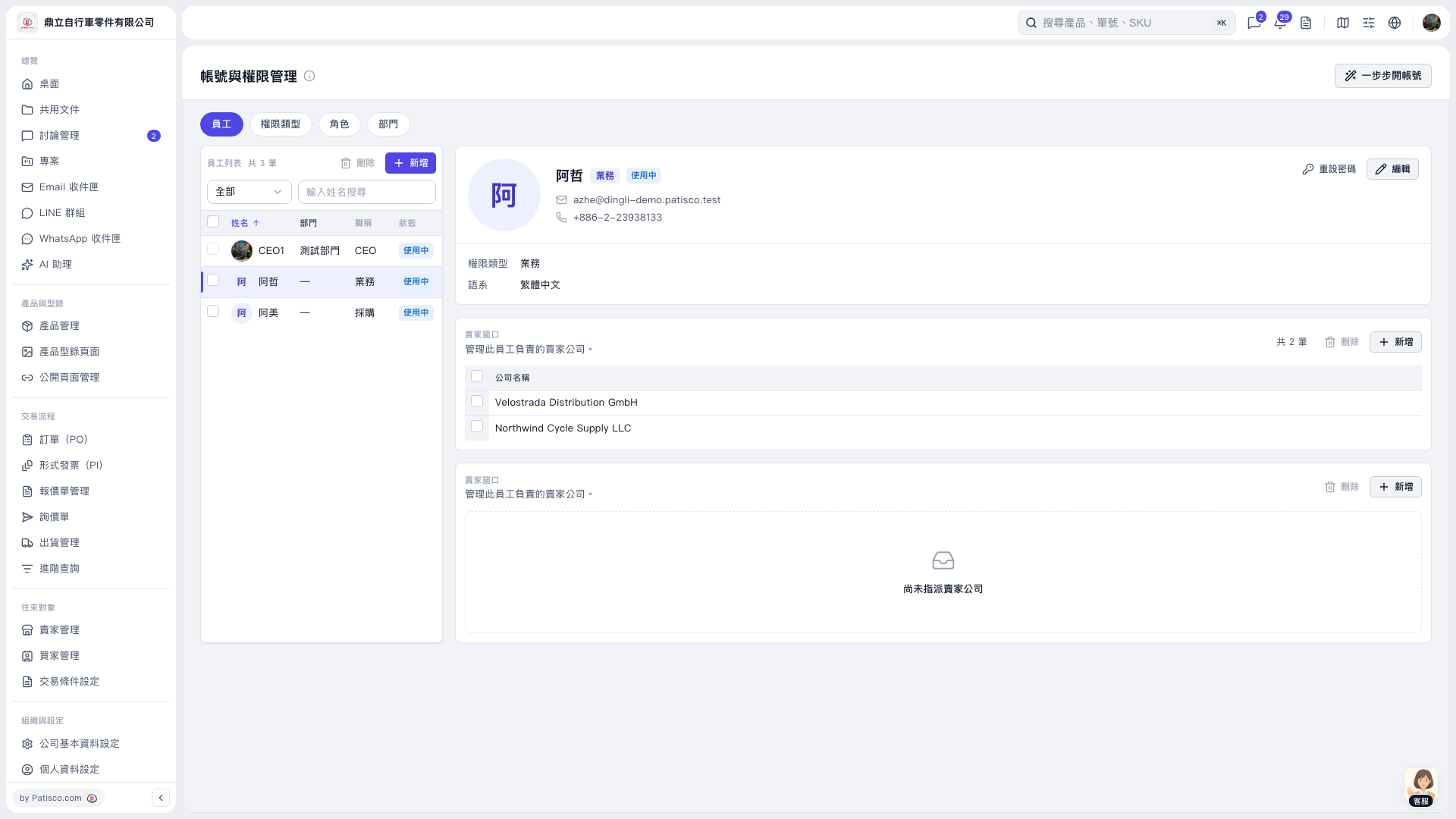
Yes. You can assign an employee to a seller that has not been invited and does not have an account. The same applies to buyers. Follow these steps: 1. In the left sidebar, open “Account & Permission Management” under “Organization & Settings” and make sure the “Employees” tab is selected. 2. Click the employee you want to configure in the employee list. Their details and assigned companies will appear on the right. 3. Click [Add] in the top-right corner of the [Seller Contact] section. 4. Select the companies to assign in the list (sellers that have not been invited are listed under [Not Invited]). 5. Click [Add N Items], where N is the number you selected. 6. “Added” appears, and the company is listed in the [Seller Contact] section. Once assigned as the contact, the employee can see this company and its documents in Seller Management.
 V5 新桌面版|帳號與權限管理