
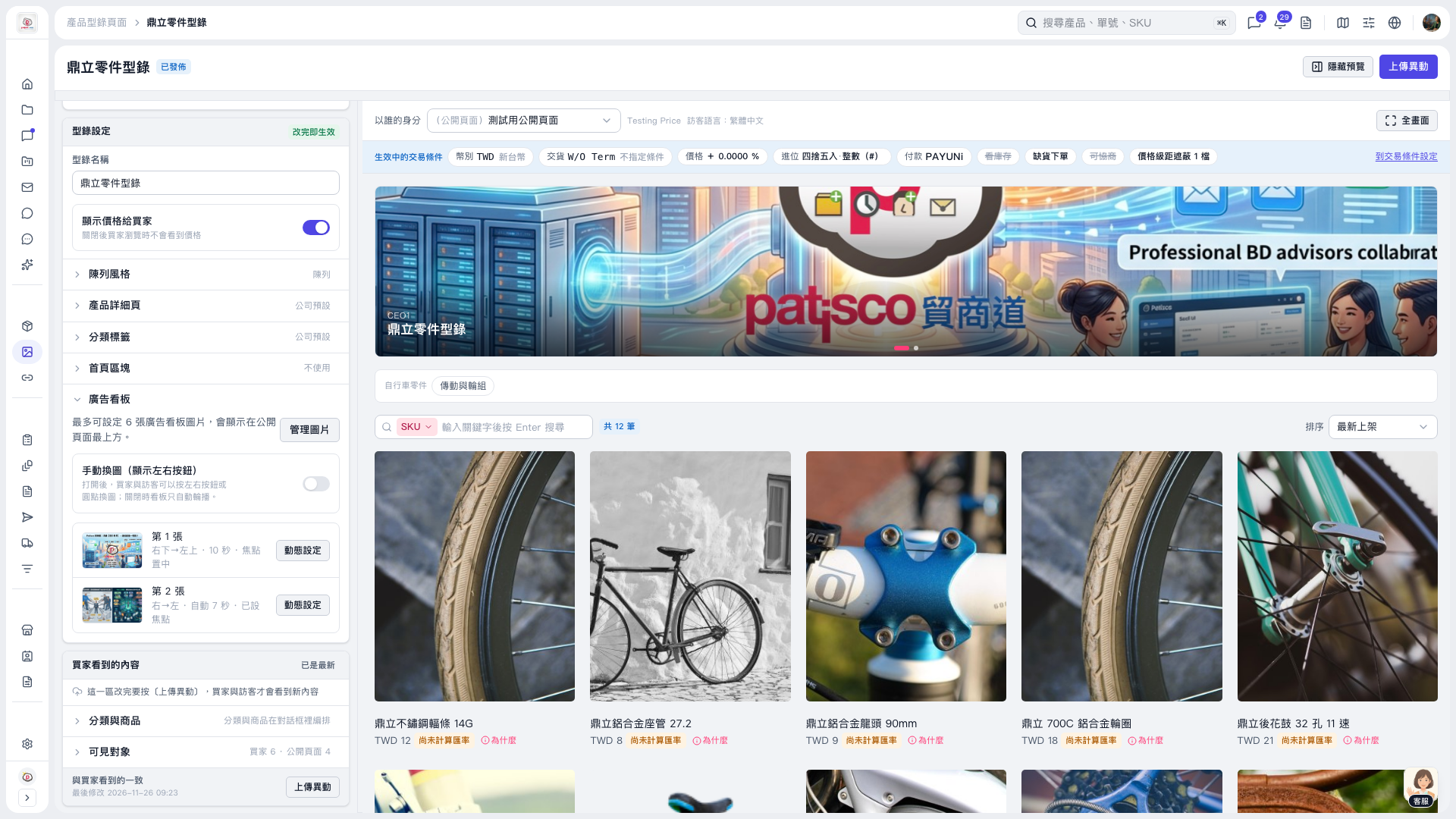
1. In the settings panel on the left side of the catalog page, find the “Banner” section and expand it. 2. Click [Animation Settings] next to the banner image you want to adjust (the first or second image) to open the animation settings dialog. 3. In the dialog, set the animation direction, duration in seconds, and focal point. 4. Check how the banner appears in the preview area on the right. 5. Once everything looks correct, click [Upload Changes] in the top-right corner so buyers and visitors can see the updated content. Each banner image has its own [Animation Settings] and can be adjusted separately. To add or replace banner images, use [Manage Images] in the “Banner” section (up to six images).
 V5 新桌面版|鼎立零件型錄