
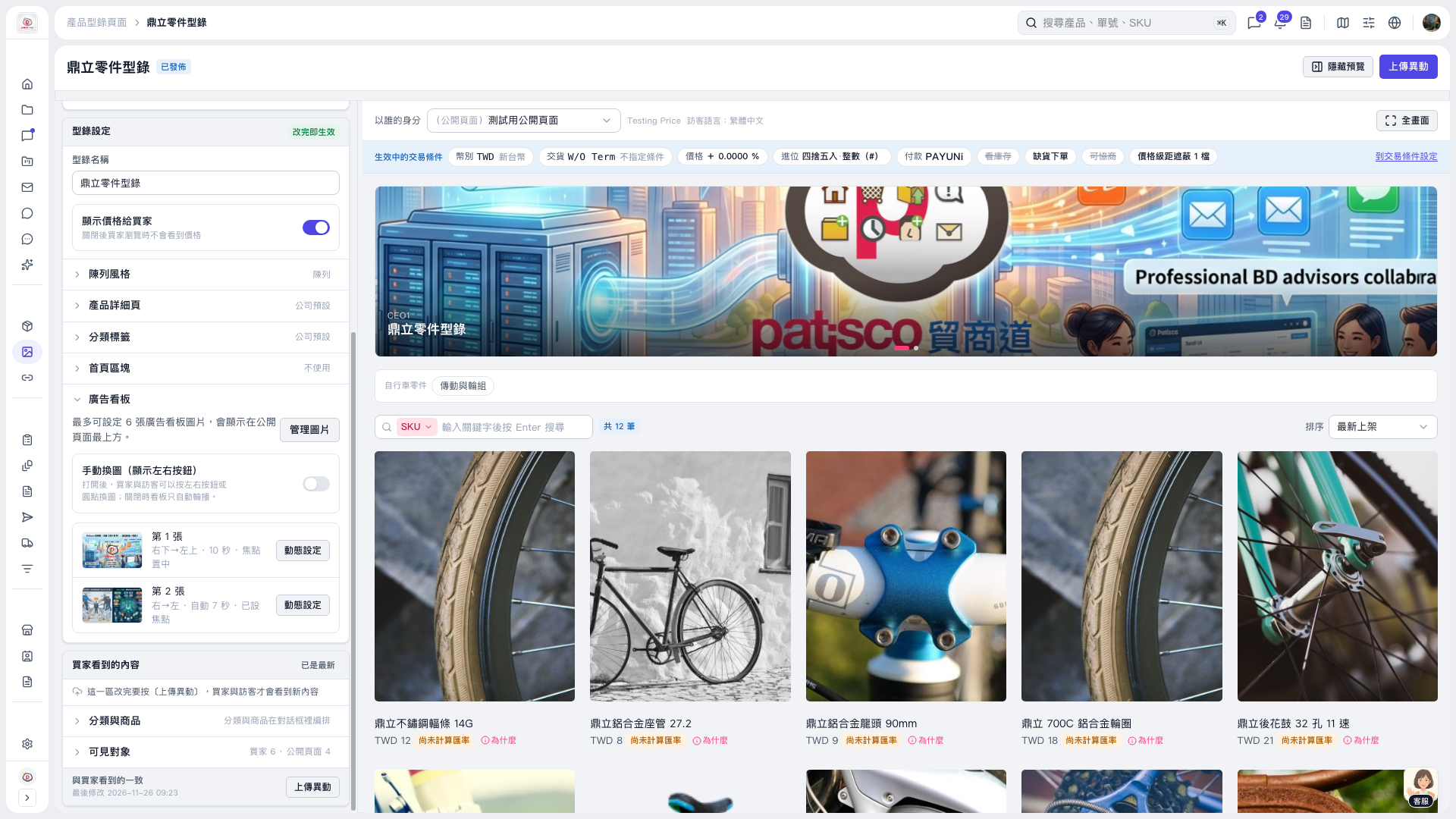
1. Expand the “Banner” section in the panel on the left. 2. To add or replace images, click [Manage Images]. You can set up to 6 images. 3. In the image list, click [Animation Settings] to the right of each banner to adjust its animation direction, duration in seconds, and focal point. 4. Check the result in the preview area on the right. If needed, use the “View as” dropdown above the preview to switch viewing roles, or click [Full Screen] in the upper right of the preview area to enlarge it. 5. After checking, click [Upload Changes] to publish. Buyers and visitors cannot see changes that have not been uploaded.
 V5 新桌面版|鼎立零件型錄