
1. After logging in, open [Desktop] from the left sidebar. 2. First, check the [Documents to Handle] card. 3. Expand the [Past Due] or [Needs Sync] group to find documents that need priority attention. 4. Click a document row to open it and edit its contents or follow up on the discussion. 5. To update the list, click [Refresh] at the top right of the card. 6. You can also switch between [List] and [Timeline] views at the top right of the card. Each row shows the document type (quotation or PI), document number, customer name, due date, amount, and status (Editing or In Discussion).
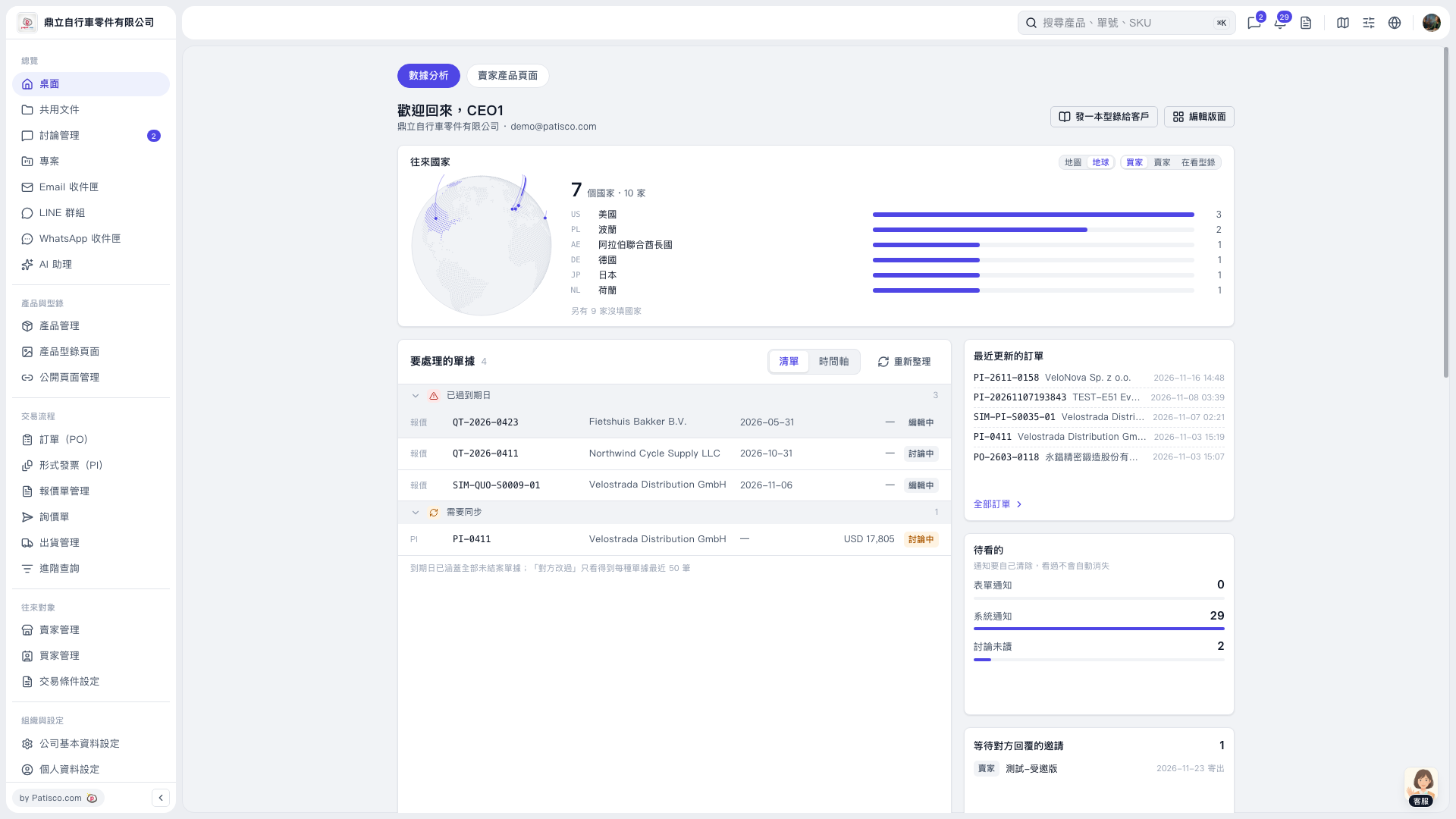 V5 新桌面版|桌面(歡迎回來,CEO1)