
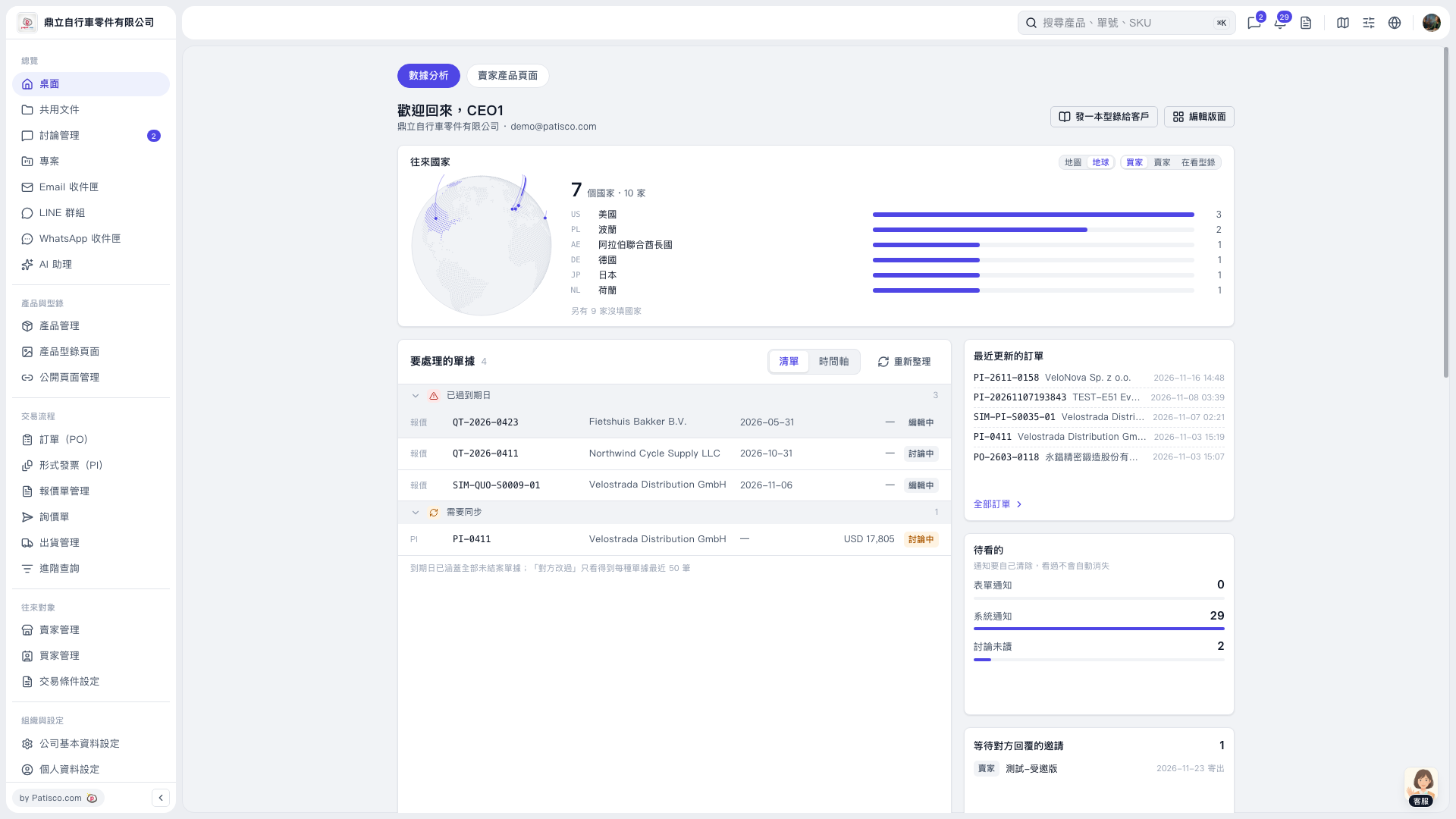
1. Check the [Recently Updated POs] card on the Desktop for the latest PO activity. 2. To view the full PO list, click [All POs] at the bottom of the card. 3. To view unread discussions and system notifications, click the message and notification icons at the top right. The icons show the unread counts. 4. You can also check system notifications and unread discussions in the [To Review] section and handle them one by one. To quickly find a product, document, or SKU, use the [Search Products, Document Numbers, SKUs] search bar at the top. The keyboard shortcut is ⌘K.
 V5 新桌面版|桌面(歡迎回來,CEO1)